


Description
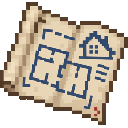
Design and build custom houses with a blueprint editor, choosing their size and materials.
Mod Wiki
Blockhouse Blueprint Studio
Quickstart
- Craft a House Blueprint with three paper, a book, and a compass:
- Stand where you want to start building, face an open area, and make sure there’s room for the house. Its front wall will be about three blocks ahead of you.
- Hold the blueprint in either hand and use it to open the studio.
- Choose a footprint, wall material, and roof material, then select Build House. The blueprint starts with a standard footprint, oak plank walls, and a spruce plank roof.
In Creative mode, you can also find the blueprint in the Tools inventory tab.
Overview
The blueprint opens a small editor for choosing a house design, then builds that house directly in the world. It doesn’t use blocks from your inventory.
What It Adds
| Feature | Options and details |
|---|---|
| Footprint | Compact (7×7), Standard (9×9), or Spacious (11×11) |
| Walls | Oak planks, stone bricks, or bricks |
| Roof | Spruce planks, dark oak planks, or deepslate tiles |
| House details | Oak plank floor, oak door, glass-pane side windows, and a pitched roof |
How To Use
Use the House Blueprint while holding it to open House Blueprint Studio. Select one option in each group—Footprint, Walls, and Roof—then press Build House. The summary shows your current choices. Select Close to exit without building.
The house is oriented to your facing direction, with its entrance toward you. Its floor is built at your current block height, so choose a suitable ground level before building.
Abilities And Mechanics
The blueprint checks the planned build area before placing anything. If a planned block position is obstructed, outside the world height limit, or beyond the world border, the house won’t be built. Clear the area or choose another location and try again.
Progression And Strategy
Try the compact design first to see how the fixed entrance, side windows, and pitched roof fit together. For larger footprints, allow extra room behind the entrance as well as above the house. The selected wall and roof blocks are placed for you; no building materials are consumed.
How to install
This Java mod can be used on Windows and Mac PCs with the CreativeMode Launcher or any Minecraft launcher of your choice.

1. Download and install the new CreativeMode Launcher

2. Click to play on the top of the screen.
3. That's it — launches instantly. No complicated setup required.
Want to use on a different launcher? Download mod and manually install.
This mod is licensed under the CreativeMode Mods License.