

Description
Wear the complete Bedrock Immortal Armor set and become impossible to kill.
Mod Wiki
Bedrock Immortal Armor
Quickstart
Craft the helmet, chestplate, leggings, and boots, then equip all four in their matching armor slots. The immortality effect only works while you wear the complete set; wearing or carrying just one or more pieces is not enough.
You can find the pieces in the Creative Mode Combat inventory tab, or craft them using the recipes below.
Overview
Bedrock Immortal Armor is a four-piece armor set centered on one ability: wearing the full set makes you immune to damage and prevents death. There is no separate control or activation step.
What It Adds
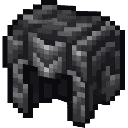
- Bedrock Immortal Armor Helmet
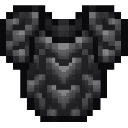
- Bedrock Immortal Armor Chestplate
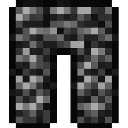
- Bedrock Immortal Armor Leggings
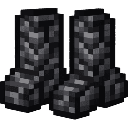
- Bedrock Immortal Armor Boots
How To Use
Equip each piece in its corresponding armor slot. With all four pieces equipped, incoming damage is blocked and death is prevented. Remove any piece and the set’s protection no longer applies.
Crafting And Obtaining
The recipes are available in your recipe book. Each recipe makes one piece.
Helmet


Chestplate

Leggings
Boots


How to install
This Java mod can be used on Windows and Mac PCs with the CreativeMode Launcher or any Minecraft launcher of your choice.

1. Download and install the new CreativeMode Launcher

2. Click to play on the top of the screen.
3. That's it — launches instantly. No complicated setup required.
Want to use on a different launcher? Download mod and manually install.
This mod is licensed under the CreativeMode Mods License.