


Description
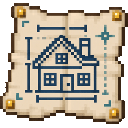
Choose a house blueprint, preview and rotate it, then build it instantly with materials or for free in Creative.
Mod Wiki
Architect Blueprint
Quickstart
- Craft an Architect’s Blueprint at a crafting table:
- Hold the blueprint in either hand and use it to open the house selector.
- Choose a house to see its light-blue placement preview. Aim at a block to place the preview just beyond the face you’re pointing at; if you aren’t aiming at a block, it appears in front of you.
- Use Rotate 90 degrees to turn the plan, then press Build. In Survival, the blueprint consumes the listed blocks from your inventory; in Creative, building is free.
Overview
The Architect’s Blueprint lets you choose a house plan, preview its position, rotate it, and build it instantly. The preview is a guide: it doesn’t clear the site or guarantee the structure will fit safely, so check the area before building.
What It Adds
The selector includes three built-in houses:
| Blueprint | Style | Approximate footprint |
|---|---|---|
| Small Wooden Cabin | Oak planks and logs | 7 × 7 blocks |
| Medieval Stone House | Stone bricks and spruce logs | 9 × 7 blocks |
| Modern House | Quartz and glass | 9 × 8 blocks |
The catalog can also list structures provided by datapacks. Scroll through the catalog to browse additional entries when available.
How To Use
- Select a house to view its hologram and material requirements.
- Rotate the plan in 90-degree steps; the preview and displayed requirements update with it.
- In Survival, gather the displayed materials and keep them in your inventory before building. Scroll the requirements if they span multiple pages.
- Aim at a suitable placement surface and check the preview, then choose Build. The blueprint places blocks at the previewed location; blocks occupying that space may be replaced.
- If building fails because materials are missing or the location is invalid, gather the required blocks or choose a clear, loaded location within the world.
Crafting And Obtaining
The blueprint is crafted from paper, ink sacs, and blue dye using the recipe above. It is also available in the Creative inventory’s Tools tab.
Abilities And Mechanics
- The three built-in houses have floors, walls, windows, entry openings, and stepped roofs.
- Survival material costs depend on the selected structure and are taken from your inventory when building succeeds.
- Creative building costs nothing.
- The selector stays open while you browse and preview. Use Back to return to the catalog or X to close it.
How to install
This Java mod can be used on Windows and Mac PCs with the CreativeMode Launcher or any Minecraft launcher of your choice.

1. Download and install the new CreativeMode Launcher

2. Click to play on the top of the screen.
3. That's it — launches instantly. No complicated setup required.
Want to use on a different launcher? Download mod and manually install.
This mod is licensed under the CreativeMode Mods License.