

Description
Turn your arm into a lightning cannon and strike anything you can see.
Mod Wiki
Arcane Lightning Arm
Quickstart
- Craft the Arcane Lightning Arm at a crafting table:


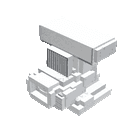
- Hold the Arcane Lightning Arm in your hand.
- Aim at a block or into open space and use the item.
- Watch the blue arc travel from you to the target as three lightning bolts strike.
The arm can target locations up to 64 blocks away. Using it does not require ammunition or a special charge.
Overview
The Arcane Lightning Arm is a handheld lightning cannon. It follows your view and calls down a triple lightning strike at the point you are looking toward.
It is useful for dramatic attacks, activating lightning-related effects, setting up combat arenas, or simply creating spectacular lightning displays.
What It Adds
- Arcane Lightning Arm — a craftable item that fires lightning.
- Blue flame particles forming a trail between you and the target.
- Enchanting and critical-hit effects at the impact point.
- A powerful lightning sound when the arm is used.
How To Use
Hold the Arcane Lightning Arm and use it normally:
- Aim at a block: The strike lands at the center of the block you are looking at.
- Aim into open space: The strike travels to a point up to 64 blocks away in the direction you are facing.
- Aim at a distant block: The arm stops at the first block in your line of sight within its range.
Every activation summons three lightning bolts at the selected location. The arm can be used repeatedly as long as it remains in your inventory.
Crafting And Obtaining
Craft the arm at a crafting table using copper, redstone, amethyst, and a diamond.
In Creative mode, you can also obtain it from the item inventory. If you use commands, its item ID is:
com_arcane_lightning_arm_lxryyijz:my_block_placer
For example:
/give @s com_arcane_lightning_arm_lxryyijz:my_block_placer
Abilities And Mechanics
Triple Lightning Strike
Each use creates three lightning bolts at the same target location. The bolts arrive together, so a single activation produces a concentrated strike rather than a spread of separate targets.
Line-of-Sight Targeting
The arm uses the direction of your view to choose its target. Solid blocks within 64 blocks take priority over the maximum-distance point, making the arm easy to aim at terrain, walls, towers, or other visible surfaces.
Arcane Visual Effects
A blue flame trail appears between your head and the impact point. Enchanting-table and critical-hit particles mark the target, followed by an additional blue flame effect just beyond it.
No Ammunition or Cooldown
The available behavior does not consume a listed resource, impose a cooldown, or reduce durability. After using the arm, aim again and use it whenever you want another strike.
Progression And Strategy
- Use elevated ground to get clear lines of sight over terrain.
- Aim at the ground near a group of mobs when you want the lightning to affect an area.
- For long-range shots, aim at a visible block so the impact point is precise.
- Avoid using it near structures or flammable areas unless you are prepared for the consequences of lightning.
- In Creative mode, combine the arm with open arenas, tall targets, and weather effects for repeatable lightning demonstrations.
How to install
Download the mod and follow the step-by-step installation guide.
This mod is licensed under the CreativeMode Mods License.