

Description
This mod adds a complete Alchemical Exchange system in which every item has an EMC value — existing explicit EMC values are preserved and any item without one receives an automatic, deterministic EMC so it can be learned, converted, and transmuted. Players craft and use a Transmutation Tablet to convert items into EMC and learn item patterns; the tablet shows your personal EMC when held and can now be placed as a tablet block that opens the tablet UI when interacted with and returns the item when broken. You can convert selected inventory stacks (not just the held item) into your personal EMC or deposit them into placeable machines like Transmutation Tables and Alchemical Condensers to store EMC at block positions, pull items back when you have enough EMC, and trade EMC with others via simple menus, so progression comes from crafting the tablet and machines, converting items to build EMC, learning recipes, and transmuting items back into existence.
Mod Wiki
Alchemical Exchange
Quickstart
- Gather iron ingots and cobblestone, then craft a Transmutation Table at a crafting table:


- Use iron ingots and your new Transmutation Table to craft the Transmutation Tablet:

- Hold the Transmutation Tablet — your current personal EMC balance appears in chat/on-screen.
- Hold any item and interact with the Tablet (use/right-click) to open the tablet UI. From there you can convert items to EMC and transmute EMC back into learned items.
- Place the Transmutation Tablet as a block by using it on any surface. Interact with the placed block to open the same UI; break it to retrieve the item.
Overview
Alchemical Exchange gives every single item in the game an EMC (Equivalent Matter Conversion) value. Items with well-known values keep them; everything else receives an automatic, deterministic value derived from crafting chains. You spend your life gathering and converting items into EMC, then spend that EMC to conjure any item you have already learned. The mod adds three craftable objects — the Transmutation Tablet, the Transmutation Table, and the Alchemical Condenser — that together form a complete matter-exchange economy.
What It Adds
| Item / Block | Role |
|---|---|
| Transmutation Tablet (item & placeable block) | Personal EMC wallet + learn/transmute UI |
| Transmutation Table (block) | Machine that stores EMC at a fixed position; required for crafting higher-tier items |
| Alchemical Condenser (block) | Advanced machine for storing large amounts of EMC and pulling items from it |
Notable EMC Reference Values
| Material keyword | EMC |
|---|---|
| Dirt / Grass / Glass / Tuff | 1 |
| Flint | 4 |
| Wheat | 24 |
| Wool / Warped materials | 32–48 |
| Water / Turtle egg | 32–512 |
| Glowstone | 384 |
| Ender-related | 1024 |
| Gold | 2048 |
| Diamond / Echo Shard | 8192 |
| Disc / Ghast / Enchanted | 4096 |
| Emerald | 16,384 |
| Trident | 32,768 |
| Dragon-related | 65,536 |
Every crafted item automatically inherits an EMC equal to the sum of its ingredients' EMC, so derived items (planks, tools, armor, etc.) all have values too.
Crafting And Obtaining
Transmutation Table


Alternating iron ingots and cobblestone. Mine with a pickaxe to recover it.
Transmutation Tablet
Requires a Transmutation Table at the centre. This is your primary hand-held tool and can also be placed as a block.
Alchemical Condenser
Wraps a Transmutation Table between chests and iron ingots for high-capacity machine-based EMC storage.
How To Use
Transmutation Tablet (held)
- Hold it to see your personal EMC balance displayed.
- Use/interact to open the tablet UI.
- Browse learned items and transmute them (spend EMC to receive the item).
- Select inventory slots to convert entire stacks to EMC.
- Converting an item also teaches you that item — once learned, you can always transmute it back as long as you have enough EMC.
- Place it like a block by using it on a surface. Interact with the placed block to open the same UI. Break the block to get the Transmutation Tablet item back. (Use a pickaxe for fastest breaking.)
Transmutation Table (block)
- Place it in the world and interact to open the machine UI.
- Deposit items directly into the machine to store their EMC at that block's position rather than in your personal wallet.
- Withdraw items from the machine's stored EMC when you have learned them.
- Multiple players can share a single machine and trade EMC through it.
Alchemical Condenser (block)
- Functions like the Transmutation Table but with a higher EMC storage cap, suitable for mass conversion operations.
- Place, interact, deposit stacks, and pull out items the same way as the Transmutation Table.
- Mine with a pickaxe (takes ~5 seconds) to relocate it.
Abilities And Mechanics
EMC Values for Every Item
Every item in the game has an EMC value — nothing is left at zero. Base materials have hand-assigned values; crafted items derive their value automatically from ingredient costs across up to 12 calculation passes, so the entire crafting tree is covered.
Learning Items
The first time you convert an item to EMC (via the tablet or a machine), that item is learned and added to your transmutation list. Learned items persist for your player permanently. You can then spend EMC to recreate that item at any time.
Personal vs. Machine EMC
- Personal EMC travels with you (stored per player).
- Machine EMC is stored at the block's world position and can be accessed by anyone who interacts with that machine — useful for cooperative play or large-scale operations.
Converting Inventory Stacks
You are not limited to converting only the item you are holding. The tablet and machine UIs let you select any slot in your inventory and convert the entire stack at once, maximising throughput when processing large hauls.
Progression And Strategy
- Early game — Convert cheap, abundant materials (cobblestone, dirt, wood) in bulk to accumulate a base EMC pool. Even a value of 1 adds up quickly at stack scale.
- Mid game — Craft a Transmutation Table, place it, and start depositing mining hauls directly into it. Learn valuable ores and farm materials to push your EMC into the thousands.
- Late game — Craft an Alchemical Condenser for high-capacity storage. Farm renewable resources (wheat, wool, eggs) continuously, convert them to EMC, and transmute back into rare materials like diamonds (8,192 EMC each) or emeralds (16,384 EMC each).
- Multiplayer — Shared machine blocks let groups pool EMC. Set up a communal Alchemical Condenser as a town bank and trade large amounts of EMC through the machine's menu without dropping items.
Tip: Tridents (32,768 EMC) and dragon-related items (65,536 EMC) are the highest-value targets — converting a single dragon egg sets your EMC balance up dramatically.
How to install
Download the mod and follow the step-by-step installation guide.
Players also liked

Super Dash Feather


A feather imbued with extraordinary speed magic that propels its wielder forward 20 blocks in their viewing direction when right-clicked. After use, the feather requires 15 seconds to recharge its power, perfect for escaping danger, chasing foes, or leaping across chasms. This un…
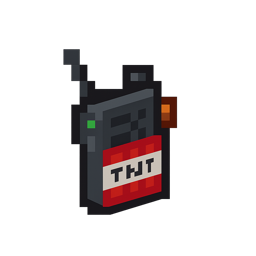
Tnt Walkie Talkie


A rugged, TNT-branded walkie-talkie dropped by the Ender Dragon. Right-click to initiate a 7-second countdown, then rain down 30 primed TNT scattered randomly within a 20-block radius around you. After each strike, a 15-second cooldown prevents you from calling in another bombard…
This mod is licensed under the CreativeMode Mods License.