

Description
Build a Whispergate Portal to explore the Swift, Backrooms, and Dreamcore dimensions.
Mod Wiki
Whispergate Worlds
Quickstart
Craft a Whispergate Portal and place it, or craft a Whisper Key and use it. Either opens a destination form. Enter swift, backrooms, or dream to travel; enter home or return to go back to the Overworld spawn.
Whispergate Portal


Whisper Key

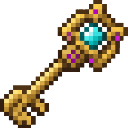
In Creative, find the portal under Construction and the key under Equipment.
Overview
Whispergate Worlds lets you travel between the Overworld and three custom dimensions. The portal is a single placeable block: it does not need a frame.
What It Adds
| Destination | What to expect |
|---|---|
swift — Swift Fields | Gently rolling lime-green fields. |
backrooms — The Backrooms | Rolling yellow terrain with sandstone beneath the surface. |
dream — Dreamcore Meadows | Rolling pink meadows with magenta layers beneath. |
How To Use
- Portal: Interact with the placed block, type a destination in the form, then choose Open Gate.
- Key: Use the Whisper Key to open the same form. The key is not consumed by use.
- Return: Enter
homeorreturnto travel back to the Overworld spawn.
While anyone is in one of the three destinations, vanilla mob spawning is turned off; it resumes once all players have left.
Crafting And Obtaining
Both recipes use a crafting table. The portal is a block you place; the key is an item you use to open the destination form.
How to install
Download the mod and follow the step-by-step installation guide.
This mod is licensed under the CreativeMode Mods License.