


Description
Villagers build safely on clear ground, with no gaps, no overwrites, and no stalled projects.
Mod Wiki
Villagers Overhaul Qinyami
Quickstart
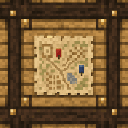
- Craft a Prefecture Console using the recipe below.
- Place it near a group of at least two villagers (in a cleared, open area).
- Right-click the console to open its dossier screen and either found a new settlement or view the one already covering that spot.
- Wait — villagers who wander near a founded settlement automatically become residents and begin living, working, and building on their own.
- Keep the area supplied with dropped wood, stone, glass, and food; villagers will collect it and use it to eat, sleep, and build houses.
Recipe:
Overview
Villagers Overhaul Qinyami turns ordinary villages into small, living settlements that grow and build for themselves. Once a settlement is founded, its villagers quietly manage their own hunger, rest, and family life, and cooperate to gather resources and construct new buildings — all without any interaction needed from the player. Construction always happens on clear, safe ground, one block at a time, and never overwrites existing terrain or leaves projects broken.
The Prefecture Console is the player's window into this system: a placeable block that founds settlements and shows their status.
What It Adds
- Prefecture Console — a craftable block that establishes and manages villages.
- A hidden simulation that gives villagers hunger, energy, aging, and family relationships.
- Automatic village discovery: nearby villagers are recognized as residents of the same settlement.
- Self-driven construction: settlements build a town hall, then rotate through cottage and longhouse designs as they grow.
- A resource stockpile (wood, stone, glass, food) that villagers gather from dropped items or by harvesting nearby materials.
How To Use
- Founding a settlement: Place a Prefecture Console anywhere villagers are gathered. Right-clicking it either creates a new settlement centered there or opens the one that already exists in that area.
- Viewing settlement info: The console's screen displays the settlement's population, family count, and its stock of wood, stone, glass, and food.
- Changing the flag color: A button in the console screen cycles the settlement's flag/banner color, purely as a cosmetic identifier for the settlement.
- Feeding the growth: Drop wood, stone (or cobblestone), glass, or food items near working villagers — they will walk over, pick them up, and add them to the settlement's stockpile.
- Watching villagers live: Villagers sleep in nearby beds when tired, eat from the settlement's food stock when hungry, and if a villager is a designated "builder," they will work on active construction projects instead.
Abilities And Mechanics
- Hunger and Energy: Every resident has hidden hunger and energy values that drain over time. Villagers automatically seek out a bed to rest and consume stored food to stay fed — this happens invisibly in the background.
- Aging and Life Stages: Residents progress through Child, Adult, and Elder life stages over long in-game timescales, without affecting vanilla villager behavior, trades, or professions.
- Families: Adult residents are paired into households, and villager children are automatically linked to a family once discovered.
- Construction Rules: Only one building project is active per settlement at a time. Builders claim individual blocks of a blueprint to place, and no two villagers can work the same block. If a build spot is temporarily blocked (e.g. by a player standing there), that step is skipped and retried later — it is never abandoned or overwritten.
- Building Types: Settlements build a town hall first, then rotate between different house designs (timber cottage, stone cottage, longhouse) as more buildings are completed.
- Safe Placement: New buildings are only sited on clear, appropriately spaced ground, keeping settlements tidy and preventing overlapping structures.
Progression And Strategy
- Start by gathering at least two villagers together and placing a Prefecture Console nearby to found a settlement.
- Keep the settlement growing by supplying dropped resources — more residents and materials mean faster construction.
- Once a settlement reaches enough residents, expansion begins automatically: watch as a town hall and then houses rise over time.
- Use the console's screen to keep track of a settlement's population and stockpiles, and revisit periodically to see it grow, house by house, family by family.
How to install
This Java mod can be used on Windows and Mac PCs with the CreativeMode Launcher or any Minecraft launcher of your choice.

1. Download and install the new CreativeMode Launcher

2. Click to play on the top of the screen.
3. That's it — launches instantly. No complicated setup required.
Want to use on a different launcher? Download mod and manually install.
This mod is licensed under the CreativeMode Mods License.