

Description
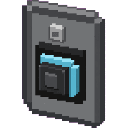
The Village Doorbell is a decorative multiblock structure that adds a charming doorbell to your builds. Simply right-click any part of the doorbell to ring it, playing a doorbell chime sound and sending cheerful note particles floating up from the structure.
Mod Wiki
Village Doorbell
Quickstart
- Craft the Village Doorbell using the recipe below — the recipe is unlocked automatically when you join a world.
- Place the doorbell anywhere in your build. It will automatically form a multi-block decorative structure facing away from you.
- Right-click any part of the structure to ring it — you'll hear a doorbell chime and see note particles float up from the structure.


Overview
Village Doorbell adds a charming decorative doorbell structure to your Minecraft builds. It's purely aesthetic and interactive: place it by your front door, village entrance, or anywhere you want a little character, then ring it with a right-click to play a custom chime sound and burst of cheerful particles.
What It Adds
- Village Doorbell — A decorative multi-block structure crafted from iron, a bell, a note block, and a stone button. Stacks up to 16 in your inventory.
How To Use
Placing the Doorbell
Place the Village Doorbell item like any other block. The structure automatically orients to face away from you and expands into its full multi-block form, filling in the surrounding blocks automatically (as long as those spaces are empty and replaceable).
Ringing the Doorbell
Right-click any block that is part of the doorbell structure to ring it. This triggers:
- A custom doorbell chime sound audible to nearby players.
- Note particles that float upward from the structure.
Breaking the Doorbell
Breaking any single part of the multi-block structure will remove the entire structure at once. No drops are produced from the secondary blocks — only the main block you placed counts for drops.
Crafting And Obtaining
The recipe is granted automatically the first time you join a world, so it will always appear in your recipe book.
Abilities And Mechanics
| Feature | Details |
|---|---|
| Interaction | Right-click any part to ring |
| Sound | Custom doorbell chime |
| Particles | Note particles float upward on ring |
| Facing | Orients based on player direction when placed |
| Break behaviour | Breaking any part removes the whole structure |
| Stack size | 16 per inventory slot |
Progression And Strategy
The Village Doorbell is purely decorative with no functional gameplay effect — it won't summon villagers or trigger redstone. Its value is entirely aesthetic: use it to liven up player-built villages, bases, or custom maps. Place multiple doorbells at different entrances to add personality to larger builds, or use it as an interactive prop in adventure maps and roleplay servers where players can "announce" their arrival.
How to install
This Java mod can be used on Windows and Mac PCs with the CreativeMode Launcher or any Minecraft launcher of your choice.

1. Download and install the new CreativeMode Launcher

2. Click to play on the top of the screen.

3. That's it — launches instantly. No complicated setup required.
Want to use on a different launcher? Download mod and manually install.
This mod is licensed under the CreativeMode Mods License.