

Description
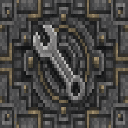
The Turning Wrench Block is a solid, iron-hard directional block that automatically faces toward you when placed, based on the direction you are looking. It supports all 6 facing directions, including up and down, making it useful for decorative builds or machinery setups that require precise orientation. The block is fully compatible with wrench-type tools from other mods, allowing you to rotate it after placement, and it can be mined with a pickaxe to retrieve it.
Mod Wiki
Turning Wrench Block
Quickstart
- Open the Building Blocks creative tab (or craft the block — see recipe below).
- Place the Turning Wrench Block anywhere. It automatically faces toward you based on the direction you are looking when you place it, including up and down.
- To reorient it after placement, use any wrench-type tool from a supported mod.
- Mine it with a pickaxe to pick it back up.


Overview
The Turning Wrench Block is a solid, iron-hard directional block with a single purpose: precise orientation. When placed, it reads the direction you are looking and faces that way — no extra steps needed. It supports all six facing directions (north, south, east, west, up, down), making it handy for decorative builds and machinery setups that demand exact alignment.
What It Adds
| Content | Type | Notes |
|---|---|---|
| Turning Wrench Block | Block / Item | Directional, iron-hard, pickaxe-mineable |
How To Use
- Placing: Simply look in the direction you want the block to face and place it. The block faces toward you, so the front will point in the direction you are looking.
- Rotating after placement: Use a wrench-type tool (from any compatible mod) to cycle through the six facing directions without breaking the block.
- Mining: Use a pickaxe to break the block and recover it as an item.
Crafting And Obtaining
The Turning Wrench Block is found in the Building Blocks creative tab and can be crafted with iron ingots and stone:
Abilities And Mechanics
- Auto-facing on placement: The block reads the nearest look direction (including straight up and straight down) and sets its facing state automatically.
- 6-directional support: Unlike many directional blocks that only support horizontal or 4-way orientations, this block supports all six cardinal directions.
- Wrench compatibility: The block exposes standard rotation and mirror properties, so any mod wrench that works with directional blocks will work here.
- Drops itself: The block always drops itself when mined with a pickaxe, even when destroyed by an explosion (subject to normal explosion loot rules).
Progression And Strategy
- Use the block as a reference marker in builds — place it facing a specific direction to keep your spatial orientation consistent across large projects.
- In machinery or contraption builds alongside other mods, place the block first to anchor orientation, then build around it.
- Because it shares the hardness and blast resistance of an iron block, it also serves as a sturdy structural element in builds that need durability alongside decoration.
How to install
This Java mod can be used on Windows and Mac PCs with the CreativeMode Launcher or any Minecraft launcher of your choice.

1. Download and install the new CreativeMode Launcher

2. Click to play on the top of the screen.

3. That's it — launches instantly. No complicated setup required.
Want to use on a different launcher? Download mod and manually install.
This mod is licensed under the CreativeMode Mods License.