Description
Obtain the Tunnel Vision item by crafting it or using the command below:
/give @s tunnel-vision-j7gbjtke:tunnel_vision_j7gbjtke
To craft it, use six glass and one stick:


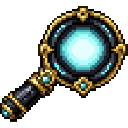
You can change the Focus key in Options → Controls under the Tunnel Vision category.
Tunnel Vision is a smooth, adjustable focusing tool for observing distant locations, mobs, and details. Focus gradually rather than switching instantly, and fine-tune the magnification while the ability is active.
The item has a magical glint and works from any inventory slot.
Hold the configured Focus key while Tunnel Vision is anywhere in your inventory. The view smoothly narrows toward the current magnification, and the focus HUD appears near the bottom of the screen.
The item does not need to be selected on the hotbar, placed in your main hand, or equipped.
Scroll while actively focusing to fine-tune the zoom:
The HUD displays the current magnification as a percentage. Focus begins at approximately 35% by default.
Release the Focus key to smoothly return to normal vision. Moving Tunnel Vision out of your inventory also ends focus, even if the Focus key is still held.
Tunnel Vision is available in the Tools creative inventory tab. In Survival, craft it with six glass and one stick:
The item is limited to one per stack.
While focused, the screen displays:
Very high magnification begins to become dangerous at approximately 68% zoom. After about seven seconds at or above this level:
Lower magnification remains safe for extended observation. Release focus before the strain becomes dangerous to avoid damage.
If you overextend your focus at dangerous magnification, releasing the key can leave a temporary blur over the screen. The blur lasts longer when you focus beyond the safe period.
Tunnel Vision applies its zoom from your configured Minecraft FOV, allowing the focused view to behave consistently with your normal display settings.
This Java mod can be used on Windows and Mac PCs with the CreativeMode Launcher or any Minecraft launcher of your choice.

1. Download and install the new CreativeMode Launcher
2. Click to play on the top of the screen.
3. That's it — launches instantly. No complicated setup required.
Want to use on a different launcher? Download mod and manually install.
This mod is licensed under the CreativeMode Mods License.


