Description
/give @s trickster-command-suite-37cf3cmc:trickster_command_suite_37cf3cmc/trollcommands./Clark for a fullscreen audio-visual prank, or /jumpscare @s to test a scare on yourself.The suite requires operator permission level 2. Non-operators cannot use its item or commands. The item has a magical glint and does not stack.
Trickster Command Suite is an operator prank console containing commands for:
Most commands target yourself, another player, or multiple players. The world continues running while fullscreen prank screens are displayed.
Use the item or enter:
/trollcommands — Opens the full command browser./trollcommands <page> — Opens a particular page./trollhelp — Opens the command catalog./trollhelp <category> — Shows one category./trollsearch <query> — Searches the command catalog.The available categories are messages, scare, effects, teleport, spawn, particles, inventory, minigame, sounds, and blocks.
Replace placeholders such as <player> or <targets> with player names or selectors:
@s — yourself@p — nearest player@a — all players@r — a random playerFor commands with selectable items, mobs, blocks, doors, kits, or discs, press Tab while typing to view available choices.
These commands create convincing but harmless chat and UI deception unless the command description says otherwise.
/fakejoinmessage <player> — Broadcasts a fake join message./fakeleavemessage <player> — Broadcasts a fake leave message./fakemessage <player> <msg> — Sends a fake chat message from a player./fakeservermessage <msg> — Broadcasts a fake server message./fakedeathscreen <player> — Shows a vanilla-style death screen without killing the target./fakeadvancement <player> <text> — Shows a fake advancement toast./fakemobmessage <mob> <msg> — Broadcasts a message as a registered entity, including modded mobs./fakeop <player> — Sends a fake “you are now op” message./fakeerror <player> <msg> — Sends a fake red error message.For /fakemobmessage, use an entity name such as zombie or a full registered ID such as another_mod:custom_mob.
These commands combine sounds with visual effects, mobs, movement, or status effects.
/jumpscare <player> — Plays a scare sound, blinds and slows the target, and creates a sculk soul burst./creeperhiss <player> — Plays a creeper hiss and spawns a real creeper ambush./ghastscream <player> — Plays a ghast scream, creates smoke, lifts the target, and applies fireball pressure./thunderstrike <player> — Summons a real lightning bolt near the target./witherscream <player> — Plays a wither sound, applies the wither effect, and spawns a wither skeleton./endermanstare <player> — Creates an enderman scare with nausea and a random blink teleport./explosionsound <player> — Creates an explosion burst that pops the target upward./anvildrop <player> — Creates an anvil threat above the target and slows them./dragonroar <player> — Creates dragon-breath particles and knocks the target backward./wardenscream <player> — Plays a warden roar and applies darkness, slowness, and sonic-boom pressure.Lightning, creepers, spawned mobs, fireballs, and other hazards are real game effects. Use them carefully around builds and survival players.
/freeze <player> — Applies extreme slowness./blind <player> — Applies blindness./nauseate <player> — Applies nausea./glow <player> — Makes the target glow./levitate <player> — Makes the target levitate./hunger <player> — Applies hunger./wither <player> — Applies wither./poison <player> — Applies poison./slowdig <player> — Applies mining fatigue./superfast <player> — Applies Speed 10./launch <player> — Launches the target into the air./yeet <player> — Flings the target in their look direction./swapplaces <p1> <p2> — Swaps two players’ positions./randomtp <player> — Teleports the target to a random nearby location./skytp <player> — Teleports the target to Y=200./buryme <player> — Teleports the target five blocks downward./spinplayer <player> — Rapidly rotates the target./tptome <player> — Teleports the target to the command sender./tptoworld <player> — Teleports the target to world spawn./catapult <player> — Launches the target high and forward./spawnmob <player> <type> — Spawns a chosen mob at the target’s location./spawnhorde <player> <mob> — Spawns many chosen mobs around the target./creeperambush <player> — Spawns four creepers around the target./skeletonarmy <player> <skeleton_type> — Spawns a chosen skeleton army./spidertrap <player> <spider_type> — Spawns a chosen spider trap./beeswarm <player> — Spawns angry bees./phantomflock <player> — Spawns phantoms above the target./silverfishnest <player> — Spawns silverfish at the target’s feet./blazeattack <player> — Spawns blazes above the target./endermiteswarm <player> — Spawns endermites around the target.These are useful for harmless visual distractions and celebrations.
/fireworkblast <player> — Creates firework particles./smokescreen <player> — Creates a dense smoke cloud./heartshower <player> — Creates heart particles./angrybubbles <player> — Creates angry-villager particles./dragonbreath <player> — Creates a dragon-breath cloud./sonicboom <player> — Creates sonic-boom particles./soulfire <player> — Creates soul-fire particles./electricspark <player> — Creates electric sparks./portalstorm <player> — Creates nether-portal particles./enchantglow <player> — Creates enchanting-table particles./clearhotbar <player> — Clears the target’s hotbar./shuffleinv <player> — Shuffles the target’s inventory./dropall <player> — Forces the target to drop all items./fillwithdirt <player> <fill_item> — Fills empty slots with a chosen nuisance item./swaphand <player> — Swaps the target’s main hand and offhand./removeboots <player> — Removes the target’s boots./removehelmet <player> — Removes the target’s helmet./giveuseless <player> <item> — Gives the target one chosen prank item./renameitems <player> — Renames the held item to ???./damagetool <player> — Damages the held tool by 50%./sumo <p1> <p2> — Sets up a sumo match and gives the players knockback sticks./roulette <player> <mode> — Runs a selected roulette mode./duel <p1> <p2> — Gives both players iron swords./spleef <player> — Places snow below the target and gives them a shovel./hotpotato <player> — Gives TNT that must be passed between players./tag <player> — Makes the target glow as “it.”/kingofhill <player> — Levitates the target; the last player to fall wins./randomkit <player> <kit> — Gives the target a chosen themed kit./icefloor <player> — Replaces the floor with packed ice./lavarise <player> — Places lava below the target.The following commands display a fullscreen image and play audio to each selected player:
/Dutch [targets] — Shows the Dutch image and plays its audio./Sabrina [targets] [sound] [image] — Shows a Sabrina image and plays a selected sound./Nikki [targets] [sound] [image] — Shows a Nikki image and plays a selected sound./Sydney [targets] [sound] [image] — Shows a Sydney image and plays a selected sound./Clark [targets] [sound] [image] — Shows a Clark or Backrooms image with a selected voice line./music <targets> <sound> — Plays any registered music or music-disc sound to selected players./discmusic <target> <disc> — Gives a selected vanilla music disc and plays a confirmation cue./villagerhm <player> — Plays a villager cue, gives an emerald, and spawns a villager./catmeow <player> — Plays a cat cue, applies speed, and spawns a cat./wolfhowl <player> — Plays a wolf cue, applies strength, and spawns a wolf./pigsnort <player> — Plays a pig cue, gives carrots, and spawns a pig./cowmoo <player> — Plays a cow cue, gives milk, and spawns a cow./chickencluck <player> — Plays a chicken cue, gives eggs, and spawns a small chicken flock./batscreech <player> — Plays a bat cue, applies night vision, and spawns a bat./doorcreak <player> <door> — Plays a door cue, creates poof particles, and places a selected door./levelsound <player> <xp> — Plays a level-up cue with a chosen XP amount and applies haste.Fullscreen prank screens end automatically when their audio finishes. They do not close with Esc, and opening one does not pause the world. Vanilla background music is stopped while the screen is active.
Clark is the suite’s largest fullscreen prank set. It combines 10 voice lines with 18 portraits, creating 180 selectable combinations.
Clark voice choices:
character, backrooms, backrooms_clark, character_21, found_something, character_21_v58, architect, backrooms_v60, architect_v61, and found_something_v62
Clark image choices:
explaining, backrooms, backrooms_movie, backrooms_clark, found_something, backrooms_clark_v58, architect, backrooms_son, architect_v61, found_v62, showroom_basement_v63, store_vandalization_v64, backrooms_v65, backrooms_v66, son_backrooms_v67, architect_backrooms_v68, oif_v69, and oip_v70
For a random Clark prank, use:
/Clark <targets>
To choose a combination, provide the sound and image names after the targets. Use command suggestions to select valid names.
The chosen player sees the image locally, while the command sender controls who receives the prank.
Vanish commands are operator states rather than timed effects.
/vanish toggles invisible mode and broadcasts a fake leave message. Normal chat is blocked while vanished./silentvanish toggles vanish without fake leave or join broadcasts./supervanish fully hides the operator, including from the player list, without a trace./unvanish explicitly disables vanish without a join broadcast.A vanished operator remains vanished until they toggle it off or use /unvanish. Other players cannot see the vanished player or their equipment, and sprinting footstep particles are suppressed. Advancements are not granted while vanished.
While vanished, use /fakemessage or /fakemobmessage instead of normal chat.
There is no crafting recipe for Trickster Command Suite.
Obtain it from the Operator section of the Creative inventory, or use:
/give @s trickster-command-suite-37cf3cmc:trickster_command_suite_37cf3cmc
The item is limited to one per stack and is not a placeable block.
The suite has no survival progression. It is designed as an operator toolbox for testing, multiplayer events, and pranks.
/trollhelp or the command browser instead of memorizing syntax.@s before targeting another player./Clark <targets> when you want a quick fullscreen prank, or specify sound and image choices for a planned combination./unvanish in mind before entering vanish mode so you can always return to normal visibility.This Java mod can be used on Windows and Mac PCs with the CreativeMode Launcher or any Minecraft launcher of your choice.

1. Download and install the new CreativeMode Launcher
2. Click to play on the top of the screen.
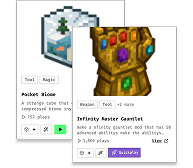
3. That's it — launches instantly. No complicated setup required.
Want to use on a different launcher? Download mod and manually install.
This mod is licensed under the CreativeMode Mods License.


