


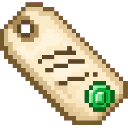
Description
The Trader Tag is a handy item for setting up quick player-run shops directly in the world. Simply hold the Trader Tag and right-click near any dropped item on the ground (within 5 blocks) to instantly convert it into a floating shop entity, which is consumed in the process. Other players can then right-click the glowing "[Shop]" marker to open a trading menu and purchase the item for emeralds equal to the quantity being sold. Each shop only allows one purchase before disappearing, and the shop can also be removed by attacking it.
Mod Wiki
Trader Tag
Quickstart
- Craft a Trader Tag (found in Tools & Utilities in Creative mode):
- Drop an item on the ground that you want to sell (press Q).
- Hold the Trader Tag and right-click while standing within 5 blocks of the dropped item.
- A floating [Shop] marker appears where the item was. The Trader Tag is consumed.
- Other players can right-click the [Shop] to open a trading menu and buy the item for emeralds.
Overview
Trader Tag lets any player set up a simple, one-time shop anywhere in the world without needing a chest, a villager, or any server plugin. Drop an item, tag it for sale, and walk away — the shop floats in place until someone buys it or you remove it.
What It Adds
| Content | Description |
|---|---|
| Trader Tag (item) | Used to convert a dropped item into a shop entity. Stacks up to 16. |
| [Shop] Entity | A floating, named marker that other players can interact with to purchase the tagged item. |
How To Use
Setting Up a Shop
- Drop the item you want to sell on the ground.
- Hold a Trader Tag in your hand.
- Right-click (use item) while within 5 blocks of the dropped item.
- The nearest dropped item is automatically targeted — no need to aim directly at it.
- A bell sound confirms success and a message tells you the shop is live.
- The Trader Tag is consumed and the dropped item is replaced by the shop entity.
The shop displays a name tag in the world showing [Shop] followed by the quantity and item name, so other players can easily spot it.
Buying From a Shop
- Walk up to a [Shop] entity and right-click it.
- A trading screen opens with a single offer: pay emeralds equal to the item's stack size to receive the full stack.
- Completing the trade removes the shop from the world immediately.
- You must stay within 8 blocks of the shop while the trading screen is open.
Removing a Shop
- Attack (left-click) the [Shop] entity to destroy it instantly. No items are dropped — use this if you change your mind about selling.
Crafting And Obtaining
The Trader Tag is crafted in a standard crafting table and is also available in the Tools & Utilities creative tab.
Ingredients: String, Leather, Gold Nuggets, Paper — all common early-to-mid-game materials.
Abilities And Mechanics
- One purchase per shop — the shop entity vanishes as soon as a trade is completed. There are no restocks.
- Price is fixed — the emerald cost always equals the quantity of items in the sold stack. A stack of 32 costs 32 emeralds; a single item costs 1 emerald.
- Nearest item targeting — if multiple items are on the ground nearby, the closest one to you is always chosen.
- Persistent — shops survive chunk unloads and server restarts until purchased or destroyed.
Progression And Strategy
- Price your stack wisely. Since the cost equals the stack count, selling a full stack of 64 demands 64 emeralds. Selling smaller quantities lowers the barrier for buyers.
- Visibility matters. Place shops in well-lit, open areas so the floating [Shop] name tag is easy to spot.
- Protect your shop. Any player can destroy a shop by attacking it. Consider placement in trusted areas or protected zones on your server.
- Bulk trading. Craft multiple Trader Tags (they stack to 16) to set up several shops at once, each selling a different item.
How to install
This Java mod can be used on Windows and Mac PCs with the CreativeMode Launcher or any Minecraft launcher of your choice.

1. Download and install the new CreativeMode Launcher

2. Click to play on the top of the screen.

3. That's it — launches instantly. No complicated setup required.
Want to use on a different launcher? Download mod and manually install.
This mod is licensed under the CreativeMode Mods License.