Description
/give @s time-stop-clock-cxlxc7qh:time_stop_clock_cxlxc7qhChronos starts with Time Stop unlocked. Try it near hostile mobs first: creatures inside the Chronos field stop moving while you remain in control.
Chronos is a mystical clock that changes the tempo of the world around you. Its powers can halt nearby creatures, slow time, accelerate the world, or make movement determine the tempo.
The selected power and its remaining duration appear in the action bar while an effect is active. The clock also glows and changes appearance while its power is running.
Chronos is a single-stack item crafted from one vanilla clock and four ender pearls.


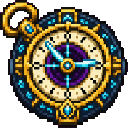
It is also available in the Tools category of the Creative inventory.
Hold Chronos in your main hand or offhand, then sneak + right-click. Each use selects the next unlocked power and displays its name.
Powers cycle in this order:
Locked powers are skipped.
Chronos cannot activate again while it is recharging. The default duration and cooldown are both 10 seconds.
Time Stop creates a field around you that halts nearby creatures. Affected living entities glow while they are caught in the field, making them easier to locate.
Time Slow drags the world into a slower rhythm.
Time Acceleration pushes the world into a faster rhythm and grants you Haste.
Superhot makes your movement determine the tempo:
| Your state | Chronos behavior |
|---|---|
| Standing still | Nearby creatures freeze |
| Moving normally | Time runs at its normal tempo |
| Sneaking | Time slows to 6 ticks per second |
| Sprinting | Time accelerates to 44 ticks per second |
Nearby creatures glow while Superhot is active. Your duration countdown pauses while you are standing still and the field is frozen.
Superhot has the standard 16-block base range and 10-second base duration. If you unlock unlimited radius, Chronos asks for confirmation before allowing Superhot to run across an infinite range. Choosing the safer option sets the radius to 500 blocks.
Turbo Time is an extreme acceleration effect.
Turbo Time takes priority over other active acceleration effects when multiple Chronos users are affecting the same world.
The Chronos field follows the player and affects nearby living creatures within its current radius. Range upgrades increase the base radius by 4 blocks each.
The advanced radius setting can be configured from 10 blocks to Infinite after unlocking Endless Orbit.
Chronos powers normally expire automatically. Duration upgrades add 3 seconds per rank.
After unlocking Timeless Hourglass, durations can be adjusted from 10 seconds to Infinite. Infinite effects remain active until you right-click to dismiss them.
Superhot is an exception to the normal countdown behavior: its duration does not decrease while you are standing still in the frozen state.
Chronos begins recharging when an effect ends or is dismissed.
Press B while Chronos is somewhere in your inventory. The skill tree does not pause the game.
In the tree:
Each unlockable node costs 1 skill point and requires its connected parent node. The first node, The First Moment, is unlocked automatically.
Chronos skill points are earned as your experience level increases. They are separate from the normal XP bar and remain available until spent.
| Branch | Upgrades |
|---|---|
| Area | Orbit I–VIII each add 4 blocks of range; Endless Orbit unlocks configurable or infinite radius |
| Duration | Hourglass I–VIII each add 3 seconds; Timeless Hourglass unlocks configurable or infinite duration |
| Cooldown | Pendulum I–VIII each reduce recharge by 1.25 seconds; Stillpoint removes recharge |
| Time Slow | Unlocks the Time Slow power |
| Acceleration | Unlocks Time Acceleration |
| Superhot | Requires Time Slow and unlocks Superhot |
| Turbo Time | Requires Time Acceleration and unlocks Turbo Time |
After unlocking Timeless Hourglass or Endless Orbit, press the default ] key to open Chronos Epoch Calibration.
The screen lets you configure:
Duration and radius are independently unlocked. For example, unlocking only Endless Orbit enables radius controls but leaves duration tuning unavailable.
This Java mod can be used on Windows and Mac PCs with the CreativeMode Launcher or any Minecraft launcher of your choice.

1. Download and install the new CreativeMode Launcher
2. Click to play on the top of the screen.
3. That's it — launches instantly. No complicated setup required.
Want to use on a different launcher? Download mod and manually install.
This mod is licensed under the CreativeMode Mods License.


