


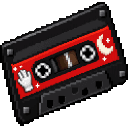
Description
Start a moonwalk with your mixtape, earn Groove XP, and grow faster as you level up.
Mod Wiki
Thriller Moonwalker
Quickstart
Craft a Moonwalk Mixtape, hold it, and right-click to start a 10-second moonwalk. Keep moving horizontally to earn Groove XP.
Check your level and XP anytime with /moonwalker.
Overview
The Moonwalk Mixtape starts a timed dance that boosts your speed. Movement during the dance earns Groove XP, which raises your Moonwalker level and improves the speed boost on future activations. Your level and XP are saved with the world.
What It Adds
- Moonwalk Mixtape: A single-stack item used to activate the dance.
- Moonwalker progression: Earn Groove XP while moving during a dance, level up, and receive an amethyst shard each time you level.
How To Use
- Use the Mixtape with right-click.
- Move horizontally during the 10-second dance. You’ll see your current level and Groove XP as you earn it.
- Use
/moonwalkerto check your progress and the XP needed for your next level.
The Mixtape has a 12-second cooldown. Trying to activate it while a dance is already active won’t start another one.
Crafting And Obtaining
Craft the Moonwalk Mixtape using the recipe above. In Creative mode, it is also available in the Tools tab.
Abilities And Mechanics
- Each activation grants a 10-second Speed boost and plays a sound.
- At each one-second check during the dance, moving at least 0.4 blocks horizontally earns 1 Groove XP.
- The boost depends on your current level: levels 0–2 grant Speed I, levels 3–5 grant Speed II, and level 6 or higher grants Speed III.
Progression And Strategy
You need 10 + 5 × your current level Groove XP to level up. For example, level 0 requires 10 XP and level 1 requires 15. Leveling consumes the required XP; any XP beyond the threshold carries over.
For reliable XP, keep moving across open ground throughout the dance. Your speed boost improves on activations after you reach levels 3 and 6.
How to install
This Java mod can be used on Windows and Mac PCs with the CreativeMode Launcher or any Minecraft launcher of your choice.

1. Download and install the new CreativeMode Launcher

2. Click to play on the top of the screen.
3. That's it — launches instantly. No complicated setup required.
Want to use on a different launcher? Download mod and manually install.
This mod is licensed under the CreativeMode Mods License.