


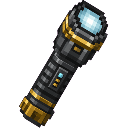
Description
The Superior Flashlight is a handheld light source that illuminates the area in front of you with a wide beam of light. Right-click to toggle it on or off -- when active, it projects a cone of bright light up to 10 blocks ahead in the direction you are looking, and the beam updates in real time as you move and turn. An action bar message will confirm when the flashlight is switched on or off, and the light will automatically disappear if you put the item away.
Mod Wiki
Superior Flashlight
Quickstart
- Craft the Superior Flashlight using the recipe below and pick it up.
- Hold it in your hand and right-click to switch it on — you'll see an action bar message confirming it's active.
- Look around in a dark cave or at night: a wide cone of bright light projects up to 10 blocks in the direction you're facing, updating in real time as you move and turn.
- Right-click again to switch it off, or simply swap to a different item — the light disappears automatically when the flashlight leaves your hand.
Overview
The Superior Flashlight is a handheld tool that acts as a dynamic, directional light source. Unlike torches or lanterns, it casts light only where you are looking, making it ideal for exploring caves, searching dark areas, or lighting up specific spots without permanently placing blocks.
What It Adds
| Item | Stack Size | Tab |
|---|---|---|
| Superior Flashlight | 1 | Tools & Utilities |
How To Use
- Right-click while holding the flashlight to toggle it on or off.
- An action bar message appears each time you toggle, confirming the new state.
- While active, the flashlight projects a cone of bright light up to 10 blocks ahead in the exact direction you are looking.
- The beam tracks your movement and head rotation in real time — just look where you need light.
- The light automatically clears the moment you switch to another item or put the flashlight away, leaving no lingering light blocks behind.
- The flashlight does not stack, so you carry one at a time.
Crafting And Obtaining
The recipe is unlocked immediately upon joining a world — no prerequisites required.
Ingredients at a glance: Glass Panes, Redstone, Glowstone, Iron Ingots, and a Blaze Rod.
Abilities And Mechanics
- Directional beam: Light is cast in a cone shape along your look direction, not in all directions like a held torch.
- Real-time tracking: The illuminated area updates every tick as you rotate or move, so the light follows your gaze seamlessly.
- Auto-off: Swapping away from the flashlight or dropping it immediately removes all light it placed, keeping the world clean.
- Toggle feedback: Every on/off switch triggers a brief action bar notification so you always know the current state.
Progression And Strategy
- Bring the flashlight into caves to light up tunnels ahead without consuming torches, while still being able to place blocks freely.
- Pair it with mining runs: point it down a branch to scout for ores or mob spawns before committing to a path.
- Because it auto-clears when you put it away, it won't interfere with base lighting setups — turn it off or holster it and your environment returns to its natural light level.
- You can only carry one at a time, so keep it in a hotbar slot you can reach quickly for fast toggles in dangerous situations.
How to install
This Java mod can be used on Windows and Mac PCs with the CreativeMode Launcher or any Minecraft launcher of your choice.

1. Download and install the new CreativeMode Launcher

2. Click to play on the top of the screen.

3. That's it — launches instantly. No complicated setup required.
Want to use on a different launcher? Download mod and manually install.
This mod is licensed under the CreativeMode Mods License.