

Description
Stack springs into one giant trampoline for bigger, higher bounces
Mod Wiki
Stacking Spring
Quickstart
- Craft a Stacking Spring block using the recipe below.
- Place it on the ground like any other block.
- Jump on it to bounce — the more Springs you connect together, the higher you fly!
- Place additional Springs directly touching each other (sideways or stacked vertically) to combine them into one bigger trampoline with a stronger launch.
Overview
Stacking Spring adds a single bouncy block that launches players and mobs into the air when jumped on. Placing multiple Springs next to or on top of each other links them together into a combined "super trampoline," increasing the bounce power the more Springs are connected.
What It Adds
- Stacking Spring — a craftable block that bounces any entity that lands on it.
- A connection system that detects nearby Springs (including ones stacked vertically) and visually/functionally combines them.
- Increasing bounce strength based on how many Springs are linked together, up to a maximum of 16 connected Springs.
Crafting And Obtaining
Craft the Stacking Spring at a crafting table using iron ingots, string, and oak planks:


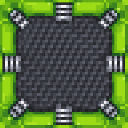
Breaking a placed Spring drops the block so it can be picked up and reused elsewhere.
How To Use
- Place a Spring block on the ground, a wall, or ceiling — it will bounce anything that lands on its top face.
- Walk or jump onto the block to be launched upward.
- Place Springs adjacent to each other (touching on any side, including above/below) to link them into one combined trampoline. Linked Springs share the same boost strength.
- Breaking one Spring in a group automatically recalculates the remaining connections.
Abilities And Mechanics
- Bounce force: Landing on a Spring applies an upward knockback to the entity. Base strength is modest for a lone Spring, but each additional linked Spring (up to 8 counted toward the bonus) increases the launch power, so large stacked clusters send you flying much higher.
- Linking behavior: Springs automatically detect neighboring Springs in all six directions (including up and down) and merge into a single connected group of up to 16 blocks.
- Visual/audio feedback: Connected Springs change appearance to reflect their group size (single, linked, or fully stacked), and bouncing plays a spring/slime-like sound that gets higher-pitched as more Springs are linked.
- Who bounces: Players and living mobs are launched by the Spring. Dropped items and experience orbs are unaffected and simply rest on top.
Progression And Strategy
- A single Spring gives a small hop — useful for simple traps or decoration.
- Linking two or more Springs together creates noticeably higher bounces, ideal for parkour courses, escape rooms, or quick vertical transportation.
- Building large connected fields or stacked towers of Springs (up to 16 linked blocks) maximizes bounce height, letting players launch extremely high — great for reaching tall builds or creating dramatic jump elevators.
- Experiment with different shapes (horizontal fields vs. vertical towers) since Springs link in every direction, including straight up and down.
How to install
Download the mod and follow the step-by-step installation guide.
This mod is licensed under the CreativeMode Mods License.