

Description
Ask the smiling oracle anything—this mysterious box claims to know everything.
Mod Wiki
Smiling Oracle Box
Quickstart
- Craft or obtain the Smiling Oracle Box.
- Hold it and use it on a block to place the Smiling Oracle one block above that location.
- Interact with the oracle to hear its greeting.
- You can also use the box without targeting a block to hear a message before placing it.
The box is consumed one at a time when it successfully places an oracle. If there is not enough room, it remains in your inventory.
To obtain one with a command:
/give @s com_smiling_oracle_box_hkqdyavj:my_sword
You can also summon the oracle directly:
/summon com_smiling_oracle_box_hkqdyavj:smiling_oracle
Overview
The Smiling Oracle Box is a mysterious rare item that brings a friendly, persistent oracle into the world. The oracle greets players when the box is used and when the oracle is interacted with.
Despite its claims of knowing everything, the oracle currently responds with prepared greetings rather than accepting typed questions or opening a dialogue menu.
What It Adds
- Smiling Oracle Box — A single-stack rare item used to place the oracle.
- Smiling Oracle — A stationary-friendly creature that watches nearby players and greets anyone who interacts with it.
- Smiling Oracle Spawn Egg — Available through normal creative spawning options.
How To Use
Using the box
-
Use on a block: Places a Smiling Oracle centered above the clicked block and consumes one box.
-
Use without targeting a block: Displays:
Hello. I am ready. Place me on the ground, then come and ask me anything.
A greeting sound plays whenever the box gives a message or places an oracle.
Interacting with the oracle
Look at the Smiling Oracle and use the interact control. It responds:
Welcome, seeker. The stars are smiling today. Ask your question, and I will share what I know.
The oracle does not require an interaction item.
Finding a suitable location
The box needs enough open space above the targeted block. If placement fails, you receive:
There is no room to place the Smiling Oracle here.
Clear the space above the block and try again.
Crafting And Obtaining
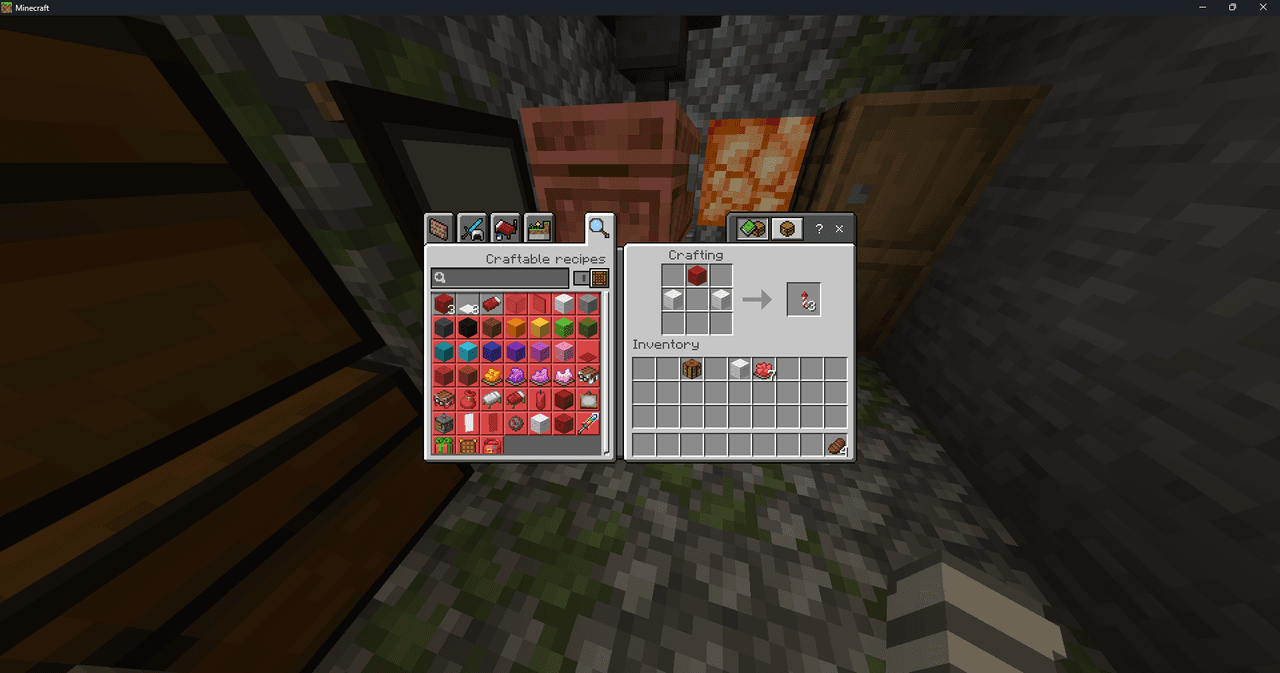
Craft the Smiling Oracle Box at a crafting table using gold ingots, a chest, and an Eye of Ender:



The recipe produces one box. The item does not stack, so each box occupies its own inventory slot.
In Creative mode, look for the box in the Items category. The Smiling Oracle can also be spawned using its spawn egg or the summon command.
Abilities And Mechanics
- The oracle is persistent and remains in the world until removed.
- It cannot be damaged by attacks.
- It is immune to fire.
- It slowly moves and may look at nearby players.
- It has no item drops when removed.
- Each successful box placement creates one oracle.
- Placing an oracle does not create a block; the result is a living entity standing above the selected block.
Progression And Strategy
Use the box as a decorative centerpiece for a base, library, temple, or fortune-telling room. Build a clear one-block-wide space with enough headroom before placing it, then surround the oracle with signs, bookshelves, or other decorations to create a dedicated shrine.
For quick testing, craft one box and place it in an open area. Use the item once without targeting a block, place the oracle, and interact with it to hear both of its available greetings.
How to install
Download the mod and follow the step-by-step installation guide.
Players also liked

Midas Touch Bow


Shoot arrows that turn things to gold on impact. The Midas Touch Bow fires special Midas arrows that convert the block hit and all surrounding non-liquid blocks within a 5-block radius into solid gold blocks on impact. Use it like a normal bow — hold the use button (right-click o…



Fartnite
Unleash the Gaseous Mayhem: Fartnite is Here! Tired of boring old Minecraft combat and PVP? Ready to inject some serious flatulence-fueled fun into your Bedrock world? Then brace yourself for Fartnite, the mod that turns every mob encounter into a hilarious, explosive, and unden…

The Scream

This mod transforms creepers into the haunting Scream Creeper: their bodies are invisible so only a floating, glowing face drifts through the world and grows brighter and more unsettling when it notices you. It includes an updated v8 face texture that sharpens and intensifies the…


This mod is licensed under the CreativeMode Mods License.