

Description
Take to the skies in your own wooden biplane!
Mod Wiki
Skywood Biplane
Quickstart
- Craft the Skywood Biplane placer at a crafting table:
- Select the placer and use it on the side of a block in an open area.
- The biplane appears facing the direction you were looking and automatically seats you as the pilot.
- Use your normal movement controls to fly. Steer with your movement controls and view direction, including looking up or down for vertical movement.
- Use the standard sneak or dismount control to leave the biplane.
The placer is reusable and is not consumed when you place the aircraft.
Overview
Skywood Biplane adds a rideable wooden aircraft for free-flight exploration. It has no gravity, can move through the air, and automatically mounts the player who places it.
While piloting, your view switches to third person so you can see the biplane around you.
What It Adds
| Content | Description |
|---|---|
| Skywood Biplane placer | A reusable, non-stackable item used to place the aircraft |
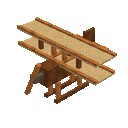
| Skywood Biplane | A one-seat flying vehicle with a flight speed of 0.35 and 40 health |
The biplane is designed for transportation and exploration. It has no weapons or ranged attack.
How To Use
Placing the Biplane
Hold the Skywood Biplane placer and use it on a block. The aircraft spawns beside the selected block, oriented in the direction you are facing, and places you in the pilot seat automatically.
Place it in an area with enough room for the aircraft to appear and begin flying.
Flying
While seated:
- Use forward, backward, and sideways movement controls to maneuver.
- Aim your view to guide the biplane through the air.
- Look upward to climb and downward to descend.
- The biplane remains airborne without needing a runway or supporting blocks.
The action bar displays Tap: Operate while you are piloting. The biplane has no weapon or separate combat ability, so use it primarily for flight and travel.
Dismounting
Use your usual sneak or dismount control to leave the aircraft. You return to the normal camera view after dismounting.
Commands
You can obtain the reusable placer with:
/give @s com_skywood_biplane_t2xhpcoq:my_vehicle_placer
To summon the biplane directly, use:
/summon com_skywood_biplane_t2xhpcoq:my_vehicle
A summoned biplane can be mounted by interacting with it.
Crafting And Obtaining
Craft the Skywood Biplane placer at a crafting table.
The recipe uses:
- 3 oak planks
- 2 feathers
- 2 iron ingots
- 2 leather
The placer does not stack and is not consumed when used, allowing the same item to place the biplane repeatedly.
Abilities And Mechanics
- Free flight: The aircraft has no gravity and can travel through the air.
- Air control: The pilot controls forward, sideways, and vertical movement.
- One seat: Only one player can ride as the pilot at a time.
- Reusable placer: The crafted placer remains in your inventory after placing the aircraft.
- Third-person piloting: The camera automatically switches to third person while mounted.
- 40 health: The biplane has 40 health.
Progression And Strategy
The Skywood Biplane is available as soon as you gather its crafting ingredients. Keep the placer in your hotbar for quick access to a reusable flying vehicle.
For easier takeoffs and landings, place the aircraft in a clear area. Use high ground or open plains as launch points, and look down gradually when descending so you can approach your destination under control.
Recipes




Recipes


How to install
Download the mod and follow the step-by-step installation guide.
This mod is licensed under the CreativeMode Mods License.