

Description
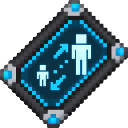
Change your size at will—shrink small or grow towering with a tablet.
Mod Wiki
Size Shifter Tablet
Quickstart
- Craft the tablet using the recipe below, or search for Size Shifter Tablet in the Creative inventory.
- Hold it and use it with your normal item-use control.
- Set Player size on the slider and select Apply Size. Try
0.1for tiny,1.0for normal, or2.0for double size.
Overview
The tablet lets you change your player’s size from 0.1 to 2.0 in increments of 0.1. It can be used again whenever you want to choose another size.
What It Adds
- Size Shifter Tablet — a reusable item that opens the player-size slider.
How To Use
Using the tablet opens the Size Shifter Tablet screen. Choose a size and select Apply Size to use it. The slider opens at the last size you applied; canceling the screen leaves your current size unchanged.
Crafting And Obtaining
The tablet is crafted at a crafting table:


Abilities And Mechanics
Your view adjusts to your chosen size. At normal size (1.0), the view returns to normal; at smaller sizes, the camera adjusts to follow your smaller viewpoint. If you ride a mount or vehicle, your seating position adjusts to your size as well.
Progression And Strategy
There is no size progression to unlock. Try different slider values in a safe, open area to see how each size feels, and return to 1.0 whenever you want your normal size.
How to install
Download the mod and follow the step-by-step installation guide.
This mod is licensed under the CreativeMode Mods License.