

Description
Bring Sirenhead’s haunting call to your jukebox with a rare new music disc.
Mod Wiki
Sirenhead
Quickstart
- Obtain the Sirenhead music disc from the Creative inventory’s Tools tab, or craft it with eight Echo Shards and one Diamond:


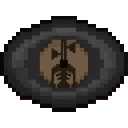
- Place a jukebox.
- Use the Sirenhead disc on the jukebox to start playing its haunting call.
- Interact with the playing jukebox using an empty hand to remove the disc.
Overview
Sirenhead adds a rare music disc named Sirenhead. It is designed for use in jukeboxes and plays Sirenhead’s haunting call when inserted.
What It Adds
- Sirenhead music disc
- Rare item
- Maximum stack size: 1
- Plays in jukeboxes
- Available in the Creative inventory under Tools
How To Use
Playing the Disc
- Place a jukebox in the world.
- Hold the Sirenhead disc.
- Use the disc on the jukebox.
- Listen to the Sirenhead sound as it plays.
Use an empty hand on the jukebox to eject the disc.
Crafting And Obtaining
Craft the disc using:
- 8 Echo Shards
- 1 Diamond
The recipe is unlocked when you enter a world. In Creative mode, you can also take the disc directly from the Tools inventory tab.
Abilities And Mechanics
- Sirenhead is a jukebox music disc, not an equippable item or creature.
- It can only be inserted into a jukebox for playback.
- The disc is rare and does not stack.
- It is included in the music-disc item group, allowing it to be handled like other jukebox discs.
Progression And Strategy
Save the disc for a themed build, horror map, or atmospheric area. A jukebox placed near a base, forest, or abandoned structure can make the Sirenhead call especially effective. Keep spare Echo Shards and Diamonds available if you want to craft additional copies.
How to install
This Java mod can be used on Windows and Mac PCs with the CreativeMode Launcher or any Minecraft launcher of your choice.

1. Download and install the new CreativeMode Launcher

2. Click to play on the top of the screen.

3. That's it — launches instantly. No complicated setup required.
Want to use on a different launcher? Download mod and manually install.
This mod is licensed under the CreativeMode Mods License.