

Description
Siege Forge adds a hands-on artillery system that lets you craft specialized cannon-making tools, assemble a placeable Field Cannon, and manufacture siege ammunition for explosive bombardment. Players craft a Siege Hammer, Bore Drill, and Casting Mold and use those plus iron and copper blocks, powder charges,
Mod Wiki
Siege Forge
Quickstart
- Craft the three crafting tools — Siege Hammer, Bore Drill, and Casting Mold (see recipes below).
- Stock up on materials — iron blocks, a copper block, TNT, and Powder Charges.
- Craft the Field Cannon using all three tools plus those materials.
- Place the Field Cannon in the world facing your target direction.
- Load it — right-click with a Powder Charge, then right-click with a Cannonball.
- Fire — right-click with a Slow Match to ignite and launch the shot.
Overview
Siege Forge brings a hands-on artillery system to Minecraft. You forge specialized tools, assemble a heavy Field Cannon, and bombard your targets with explosive siege ammunition. Every step — from forging the tools to loading and firing — requires deliberate crafting and preparation.
What It Adds
| Item / Block | Purpose |
|---|---|
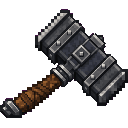
| Siege Hammer | Crafting ingredient for the Field Cannon |
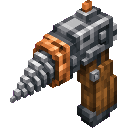
| Bore Drill | Crafting ingredient for the Field Cannon |
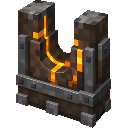
| Casting Mold | Crafting ingredient for the Field Cannon |
| Field Cannon | Placeable artillery block that fires cannonballs |
| Powder Charge | Propellant — loaded into the cannon first |
| Cannonball | Projectile — loaded into the cannon after the charge |
| Slow Match | Fuse — used to fire the loaded cannon |
All items are found in the Siege Forge creative tab.
Crafting And Obtaining
Siege Hammer


Bore Drill

Casting Mold

Powder Charge


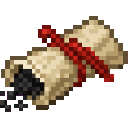

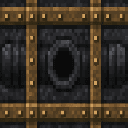
Slow Match

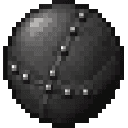
Cannonball


Field Cannon

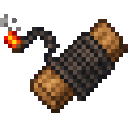
Note: The Field Cannon recipe consumes your Siege Hammer, Bore Drill, and Casting Mold — craft them specifically for cannon assembly.
How To Use
Placing the Cannon
Place the Field Cannon like any block. It faces the direction you are looking when placed. Use a pickaxe (iron or better) to break and retrieve it.
Loading and Firing
The cannon has a two-stage loading sequence tracked by its internal load state:
- Right-click with a Powder Charge — loads the propellant (load stage 1).
- Right-click with a Cannonball — loads the projectile (load stage 2).
- Right-click with a Slow Match — ignites the cannon and fires the cannonball in the direction the cannon is facing.
Loading must be done in order: charge first, then ball. The cannon will not fire until both are loaded.
Abilities And Mechanics
- The Field Cannon fires in the horizontal direction it was placed facing.
- The fired Cannonball deals explosive damage on impact.
- The cannon block itself is tough — strength 5 / blast resistance 6 — so it survives reasonable collateral blasts.
- Breaking the cannon with a pickaxe (iron tier or higher) drops it as an item.
Progression And Strategy
- Early preparation: Gather iron and copper early. The tools (Hammer, Drill, Mold) each require iron ingots, so smelt generously before sitting down to craft.
- Ammunition supply: Cannonballs are crafted in batches of 4 using iron nuggets and an iron ingot — efficient to mass-produce. Powder Charges yield 2 per craft from paper, gunpowder, and string, so keep a gunpowder farm or raid creepers regularly.
- Slow Matches are cheap (string × 2 + coal → 4 matches), so always keep a stack on hand.
- Positioning: Place cannons on elevated ground or behind walls for maximum range and coverage. The facing direction is fixed at placement, so plan your angle before placing.
- Sieges: Multiple cannons aimed at the same target multiply your bombardment output — craft several Field Cannons for coordinated barrages.
How to install
This Java mod can be used on Windows and Mac PCs with the CreativeMode Launcher or any Minecraft launcher of your choice.

1. Download and install the new CreativeMode Launcher

2. Click to play on the top of the screen.

3. That's it — launches instantly. No complicated setup required.
Want to use on a different launcher? Download mod and manually install.
This mod is licensed under the CreativeMode Mods License.