

Description
Check your coordinates and server permissions at a glance with the Shadow Server Toolkit.
Mod Wiki
Shadow Server Toolkit
Quickstart
- Craft the toolkit using the recipe below. Its recipe becomes available after you enter a world; in Creative mode, you can find it in the Tools tab.
- Hold the toolkit and use it (right-click by default) to open its dashboard.
- Check your dimension and X/Y/Z coordinates. Press Esc to close the dashboard.


Overview
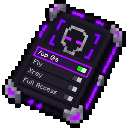
The Shadow Server Toolkit is a handheld, non-stackable item that opens a local status dashboard. It shows your current dimension and block coordinates when you are in a world.
What It Adds
The dashboard also states that authority is controlled by server permissions. This is informational: the toolkit does not show or change your individual permission level, grant permissions, or run privileged commands.
How To Use
Use the item again to open the dashboard. Your location is read from the current world and updates while the screen is open. The dashboard includes a Refresh button and can be closed with Esc.
The screen does not pause the game, so take care when checking it somewhere dangerous.
How to install
This Java mod can be used on Windows and Mac PCs with the CreativeMode Launcher or any Minecraft launcher of your choice.

1. Download and install the new CreativeMode Launcher
2. Click to play on the top of the screen.
3. That's it — launches instantly. No complicated setup required.
Want to use on a different launcher? Download mod and manually install.
This mod is licensed under the CreativeMode Mods License.