

Description
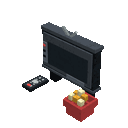
Build a TV, grab the remote, and enjoy movie night with popcorn!
Mod Wiki
Redstone Movie Night
Quickstart
- Obtain the Redstone Movie Night block from the Redstone section of the Creative inventory, or craft it using the recipe below.
- Place the block where you want the television. Placing the main block automatically builds the complete TV structure.
- Stand in front of the TV and use the Movie Remote on any part of it.
- Enjoy the movie-night setup with Popcorn, available in the Food & Drinks section of the Creative inventory.


Overview
Redstone Movie Night adds a decorative television setup, a remote control, and edible popcorn. The television is a multiblock structure that assembles automatically when placed.
The TV faces toward you when you place it, so position yourself on the side where you want the screen to point.
What It Adds
| Item | Use |
|---|---|
| Redstone Movie Night | Places the complete television structure |
| Movie Remote | Activates the television when used on it |
| Popcorn | Edible movie-night snack |
How To Use
Setting Up the TV
Hold the Redstone Movie Night block and place it on the ground. The rest of the television is placed automatically around the main block.
Leave enough room for the full structure before placing it. The TV occupies an approximately 3×3×3 area.
Using the Remote
Equip the Movie Remote, aim at any visible part of the television, and use it. You can target any section of the TV rather than only the main block.
Eating Popcorn
Hold Popcorn and use it while your hunger bar is not full. Each serving restores 5 hunger points and provides 0.6 saturation.
Crafting And Obtaining
The television can be crafted with glass panes, redstone, a comparator, iron ingots, and a hopper:
The Movie Remote and Popcorn are available directly in the Creative inventory under Tools and Food & Drinks, respectively.
Abilities And Mechanics
- Placing the main TV block automatically creates the connected television structure.
- The television turns to face you when placed.
- The Movie Remote works on any part of the television.
- The TV is a decorative structure designed for interactive movie-night scenes.
- Popcorn stacks up to 16 items and can be eaten as a food item.
Progression And Strategy
Build the television in a room with clear space around it, then place seating in front of the screen for a complete movie-night area. Keep the remote nearby for easy access, and stockpile popcorn before inviting other players to watch.
How to install
This Java mod can be used on Windows and Mac PCs with the CreativeMode Launcher or any Minecraft launcher of your choice.

1. Download and install the new CreativeMode Launcher

2. Click to play on the top of the screen.

3. That's it — launches instantly. No complicated setup required.
Want to use on a different launcher? Download mod and manually install.
This mod is licensed under the CreativeMode Mods License.