Description
If the tower reports NO SIGNAL, use Network diagnostics from the PC Tower and connect whichever peripheral is missing.
Redstone Computer Network adds a functional in-game computer made from four placeable blocks:
Each tower creates a small local computer network by detecting nearby peripherals. The computer does not require the peripherals to touch the tower, but all three must be within range.
The PC Tower is the center of the network. Use it to:
The Monitor displays the computer desktop when the tower is connected and powered on. It also shows diagnostics or an offline message when the computer cannot be used.
The Keyboard opens the computer’s command interface:
The Mouse opens a pointer menu with:
The available desktop labels depend on the selected operating system.
Place one PC Tower and one each of the Monitor, Keyboard, and Mouse nearby. The network checks for each peripheral in the tower’s local range.
The tower connects to the nearest PC Tower when a peripheral is used. If there are several towers close together, separate the setups to avoid interacting with the wrong computer.
Use the PC Tower and choose one of the image options:
Selecting an operating system powers the computer off. Power it on again after making your choice.
Use the PC Tower and select Power on. All three peripherals must be connected before the desktop can start.
When the computer is running, the tower reports that the network is online and the Monitor opens the selected desktop.
Use the Monitor to open the desktop menu. From there you can:
Opening File Explorer or Files records it as the most recent application and displays a confirmation on your action bar.
Use the Keyboard while the computer is connected and powered on. You can also select the terminal from the Monitor’s desktop menu.
Enter one of these commands:
| Command | Result |
|---|---|
help | Displays the available commands. |
ping | Checks the local tower connection and reports a 1 ms response. |
os | Reports the selected operating system. |
clear | Clears the terminal status. |
shutdown | Powers off the computer. |
Commands are interpreted without regard to capitalization. Unknown commands return a command-not-found message.
Use the Mouse while the computer is connected and powered on. Select one of the available options:
Each selection records the chosen application or setting as the latest computer action.
All four components are crafted at a crafting table.
Crafts one PC Tower from iron ingots and redstone.


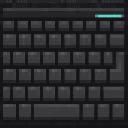
Crafts one Monitor from glass panes, redstone, and iron ingots.


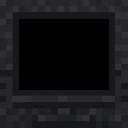
Crafts one Keyboard from iron nuggets, stone, and redstone.

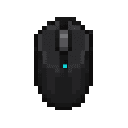
Crafts one Mouse from iron nuggets, redstone, and string.
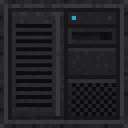
Each component can also be obtained from the Creative inventory. Mining a placed component drops one of that same component, allowing computer setups to be moved.
A peripheral is connected when it is within the tower’s local search range:
The Monitor, Keyboard, and Mouse are all required. Missing even one peripheral prevents the computer from booting.
The computer can display three main states:
The selected operating system, last application, last action, and last user are retained by the tower’s computer state.
Open Network diagnostics from the PC Tower to see:
While you are close enough to use a tower, the computer’s current display status appears on your HUD. The HUD can show the connection warning, offline state, or running desktop and its latest action without requiring you to look at the Monitor.
ping in the terminal to confirm that the local tower network is reachable.shutdown or the desktop’s Power off button when finished.Download the mod and follow the step-by-step installation guide.
This mod is licensed under the CreativeMode Mods License.

