

Description
Hop in your custom-built truck and tear across the world in style!
Mod Wiki
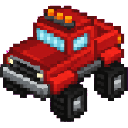
Red Thunder Truck
Quickstart
- Craft the Red Thunder Truck item using the recipe below.
- Place it on the ground like a block — it will build itself into a full truck structure in front of you, facing away from you.
- Right-click the truck to hop into the driver's seat.
- Use your normal movement keys to drive: forward/back to accelerate, left/right to strafe/turn.
- Watch the on-screen dashboard in the top-left/top-right corners for your speed and heading, and check the "Ctrl: Exit" reminder to dismount when you're done.
Overview
Red Thunder Truck adds a single drivable vehicle to the game — a bold red-and-black truck built out of multiple connected blocks. Craft it, place it, and it assembles itself on the spot. Climb in and drive it around the world at speed, with a heads-up display showing your current speed and heading.
What It Adds
- Red Thunder Truck — the main craftable item. Placing it creates the full truck structure.
- Truck structure parts — a set of supporting blocks that make up the truck's body, wheels, and cab. These are placed automatically and shouldn't be interacted with individually; they exist only to form the visual truck.
- A rideable truck vehicle — when driven, the truck's structure detaches visually into a compact vehicle that carries you across the terrain.
- A driving HUD — a small dashboard overlay showing your speed and compass heading while behind the wheel.
How To Use
- Placing: Place the Red Thunder Truck item on the ground. It automatically builds the rest of the truck body around that spot, oriented based on the direction you were facing when you placed it.
- Entering: Right-click any part of the truck to climb in and start driving. Only one player can ride at a time.
- Driving: Steer using standard movement controls — moving forward/backward drives the truck forward and back, while strafing keys turn or shift it sideways. The truck automatically settles onto the ground and responds to gravity when airborne.
- Camera: Hopping in automatically switches your camera to third-person so you can see the truck; exiting restores your previous camera view.
- Exiting: Dismount using your normal "leave vehicle" control (shown as "Ctrl: Exit" on the HUD).
- Destroying: If the truck takes damage, it breaks apart and drops the Red Thunder Truck item again so you can replace it elsewhere.
Crafting And Obtaining
Craft the Red Thunder Truck using iron ingots, redstone blocks, red concrete, a furnace, and a minecart:


Once crafted, placing the item in the world triggers the full truck build — no additional assembly is required.
Abilities And Mechanics
- The truck moves quickly across open ground, favoring forward momentum with a bit of side-to-side strafing control.
- It responds to gravity, so it will fall if it drives off a ledge.
- While riding, your player character is hidden from view (in both first- and third-person) so you see only the truck itself.
- The HUD readout displays your current speed and heading in real time, helping you navigate and gauge your momentum.
- Damaging the truck destroys it and ejects the driver, but the truck item is returned so you can rebuild it.
Progression And Strategy
There's no tiered progression here — once you have the ingredients, you can craft and drive the truck immediately. Keep a spare Red Thunder Truck item in your inventory as a quick way to redeploy it if the vehicle is ever destroyed, and place it in open, flat terrain for the smoothest driving experience.
How to install
This Java mod can be used on Windows and Mac PCs with the CreativeMode Launcher or any Minecraft launcher of your choice.

1. Download and install the new CreativeMode Launcher

2. Click to play on the top of the screen.
3. That's it — launches instantly. No complicated setup required.
Want to use on a different launcher? Download mod and manually install.
This mod is licensed under the CreativeMode Mods License.