

Description
Use a prismatic name tag to customize your displayed name with colors and animated patterns.
Mod Wiki
Prismatic Name Tag
Quickstart
Craft a Prismatic Name Tag, then hold it and use it to open the style menu. Try a color pattern first, then choose a color and watch your displayed name.


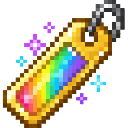
In the menu, select Color pattern, Name color, or Animation speed to make a choice. These choices apply immediately. To set a custom displayed name, select Displayed name, enter 1–24 characters, then choose Apply.
Overview
The Prismatic Name Tag customizes your player’s displayed name with colors and animated patterns. Your saved style is reapplied when you spawn.
What It Adds
- A single-use menu item for customizing your displayed name.
- Nine name colors: White, Red, Orange, Yellow, Green, Cyan, Blue, Purple, and Pink.
- Five patterns: Solid, Rainbow, Gradient, Stripes, and Pulse.
- Eight animation speed settings.
How To Use
Hold the tag and use it to open the Prismatic Name Tag menu. Select an option to change it; color, pattern, and speed choices save as soon as you select them. You can close the menu when you’re done.
To use your account name again, toggle Use account name to ON. To choose a different displayed name, enter it in the name field and select Apply on the confirmation screen. Names must be 1–24 characters.
Crafting And Obtaining
Craft one tag at a crafting table with an amethyst shard, paper, and three gold ingots.
Abilities And Mechanics
- Solid uses the selected color throughout the name.
- Rainbow cycles rainbow colors across the name.
- Gradient cycles colors along the name.
- Stripes alternates the selected color with another color.
- Pulse alternates the selected color with white.
- Animation speed ranges from 1 to 8; higher numbers animate faster. The selected name color is most noticeable with Solid, Stripes, and Pulse.
Progression And Strategy
There’s no progression system: craft a tag and experiment with colors, patterns, and speeds until you find a style you like.
How to install
Download the mod and follow the step-by-step installation guide.
This mod is licensed under the CreativeMode Mods License.