


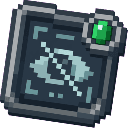
Description
The Operator Vanish Interface is a powerful administrative tool that allows server operators to become completely hidden from other players. Right-clicking the item toggles vanish mode on and off — when activated, a fake disconnect message is broadcast to the server, your name disappears from the player list, and your character becomes invisible to everyone else. Deactivating vanish works the same way in reverse, broadcasting a fake join message and making you visible again as if you just connected. This item can only be obtained and used by server operators via the /give command.
Mod Wiki
Operator Vanish Interface
Quickstart
- You must be a server operator to obtain or use this item.
- Give yourself the item with the command:
/give @s operator-vanish-interface-m5lvu3qm:operator_vanish_interface_m5lvu3qm - Hold the item and right-click to toggle vanish mode on.
- Right-click again to reappear.
Overview
The Operator Vanish Interface is a single-item administrative tool for server operators. It lets you silently disappear from a live server — other players see a disconnect message, your name vanishes from the tab list, and your character becomes invisible. Right-clicking a second time reverses the process, announcing a fake join message and making you fully visible again.
What It Adds
A single, non-stackable item — the Operator Vanish Interface — which acts as a vanish toggle. It does not appear in any creative tab and cannot be used by non-operators.
How To Use
| Action | Effect |
|---|---|
| Right-click (while visible) | Enter vanish mode |
| Right-click (while vanished) | Leave vanish mode |
Entering vanish mode:
- A fake "PlayerName left the game" message is broadcast to all other players.
- Your name is removed from their tab list.
- Your character entity is hidden from all other players.
- You receive the Invisibility effect as an additional layer of concealment.
- You see a green confirmation message in chat.
Leaving vanish mode:
- The Invisibility effect is removed.
- A fake "PlayerName joined the game" message is broadcast to all other players.
- Your name reappears in the tab list.
- Your character becomes visible again.
- You see a red confirmation message in chat.
Players who join the server while you are vanished will never see you in their tab list, ensuring vanish persists across new connections.
Crafting And Obtaining
Because the item is intended for operators only, the standard way to obtain it is via the /give command. A crafting recipe also exists for servers that wish to use it:
The recipe requires Gold Ingots, Ender Pearls, and a Command Block arranged in a 3×3 grid. Note that Command Blocks themselves are operator-only items, keeping this recipe naturally restricted.
Abilities And Mechanics
- Entity tracking suppression — even if the server attempts to re-send your entity data to nearby players, vanished operators are blocked from being sent to other clients, preventing accidental reveal when players move close to you.
- Invisibility effect — a permanent (until cancelled) Invisibility effect is applied as a secondary safeguard.
- Operator-only enforcement — if a non-operator somehow holds the item and right-clicks, they receive an error message and nothing happens.
- Single item — the Operator Vanish Interface does not stack, ensuring only one is active per inventory slot.
Progression And Strategy
- Use vanish to monitor player activity or investigate rule violations without alerting the players involved.
- Because others see a realistic disconnect/reconnect sequence, vanish is effectively undetectable under normal circumstances.
- Always remember to un-vanish before performing actions that might confuse players (such as placing blocks or interacting with the world), as your actions remain active even while hidden.
- Keep the item in a dedicated hotbar slot for fast access when you need to quickly appear or disappear.
How to install
This Java mod can be used on Windows and Mac PCs with the CreativeMode Launcher or any Minecraft launcher of your choice.

1. Download and install the new CreativeMode Launcher

2. Click to play on the top of the screen.

3. That's it — launches instantly. No complicated setup required.
Want to use on a different launcher? Download mod and manually install.
This mod is licensed under the CreativeMode Mods License.