

Description
Stand your ground with the Minecraft Mod shield and block incoming attacks.
Mod Wiki
Minecraft Mod
Quickstart
Join a world to unlock the recipe, then craft the shield at a crafting table:


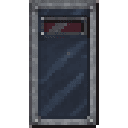
Put it in your offhand slot and hold Use (right-click by default) while facing an incoming attack to raise it. In Creative mode, you can also find it in the Combat tab.
Overview
Minecraft Mod adds a single shield for defending yourself in combat.
How To Use
Equip the shield in your offhand, aim toward an attacker, and hold Use to block. Keep holding it as attacks approach; lower it when you need to attack or move freely.
Abilities And Mechanics
- The shield has 336 durability and loses durability as it blocks attacks. It can break.
- Some attacks bypass shields and can still hurt you.
- It can be repaired with materials accepted for wooden tools and supports durability-related enchantments and Curse of Vanishing.
Progression And Strategy
Raise the shield before an attack lands, and keep an eye on its durability during prolonged fights.
How to install
This Java mod can be used on Windows and Mac PCs with the CreativeMode Launcher or any Minecraft launcher of your choice.

1. Download and install the new CreativeMode Launcher

2. Click to play on the top of the screen.

3. That's it — launches instantly. No complicated setup required.
Want to use on a different launcher? Download mod and manually install.
This mod is licensed under the CreativeMode Mods License.