


Description
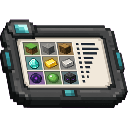
Press the backtick (`) key at any time during gameplay to open the Item Count Interface, a handy info screen that displays the total number of items registered in your game. The screen breaks down the count into vanilla Minecraft items and items added by mods, giving you a quick overview of how many items your current modpack contains. Close the screen at any time with ESC or the Close button.
Mod Wiki
Item Count Interface
Quickstart
- Join any world — the recipe is unlocked automatically.
- Craft the Item Count Interface item:
- Press the backtick (
`) key at any time while in-game (no screen open) to bring up the Item Count Interface screen. - Read your item counts, then close the screen with the Close button or ESC.
You don't need the item in your inventory to open the screen — the keybind works globally once you've joined a world.
Overview
Item Count Interface adds a simple informational overlay to your game. At a glance it tells you exactly how many items are registered in your current instance, split between vanilla Minecraft items and items contributed by mods. It's a useful at-a-glance diagnostic for modpack players and developers who want to know the scope of their item registry.
What It Adds
| Content | Description |
|---|---|
| Item Count Interface (item) | A craftable tool that represents the mod. Found in the Tools & Utilities creative tab. |
| Item Count Screen | A HUD screen accessible via the ` key showing total, vanilla, and mod item counts. |
| Keybind: Open Item Count Interface | Bound to ` (backtick) by default. Rebindable in Controls settings. |
How To Use
Press the backtick (`) key while no other screen is open. The Item Count Interface screen appears immediately and shows:
- Total Registered Items — every item in the game registry
- Vanilla Items — items from base Minecraft
- Mod Items — items added by any installed mods
The screen does not pause the game, so you can glance at it mid-play without interrupting anything. Dismiss it with ESC or the on-screen Close button.
Crafting And Obtaining
The recipe is granted automatically when you first join a world, so it will always appear in your recipe book.
The Item Count Interface item stacks up to 64 and sits in the Tools & Utilities creative tab.
Abilities And Mechanics
- The keybind only fires when no other screen is open, preventing accidental opening during inventory or chat use.
- Counts are live — they reflect the exact state of the item registry at the moment you open the screen. In a standard session the numbers stay constant, but they accurately capture whatever mods are loaded.
- The screen is non-pausing, meaning the world continues to run while it is open.
Progression And Strategy
Item Count Interface is a lightweight utility with no progression gate. Craft it once to have it in your inventory as a reminder, or simply use the keybind whenever you're curious about your modpack's item footprint. It's particularly handy when comparing modpack versions or troubleshooting whether a mod loaded correctly — if the mod item count looks unexpectedly low, a mod may have failed to initialize.
How to install
This Java mod can be used on Windows and Mac PCs with the CreativeMode Launcher or any Minecraft launcher of your choice.

1. Download and install the new CreativeMode Launcher

2. Click to play on the top of the screen.

3. That's it — launches instantly. No complicated setup required.
Want to use on a different launcher? Download mod and manually install.
This mod is licensed under the CreativeMode Mods License.