Description
The two capture corners must be in the same dimension. Each side can be at most 16 blocks long, and a capture can contain up to 2,048 supported blocks.
The builder stores one blueprint on the item itself. Capturing another build replaces the stored blueprint. Capturing does not remove blocks from the original build.
The captured area is a cuboid between the two clicked blocks. Air is skipped, so empty spaces in the cuboid are not copied or cleared at the destination. Block entities—such as chests and their contents—aren’t captured.
The corner order doesn’t matter. The builder captures supported, non-air blocks between them. If the area is too large or contains no supported blocks, the capture won’t complete. Sneak-use the builder on a block to start over; this also replaces any blueprint already stored on the tool.
Use the builder on the face of a block next to the desired starting space. The block at the capture’s minimum X, Y, and Z position goes into the space beside the clicked face. Other blocks keep their captured offsets along the world’s X, Y, and Z axes: the blueprint does not rotate to match the face.
The destination must be within the loaded area and clear of blocks that cannot be replaced. In Survival, the builder checks your inventory for the needed blocks before placing; blocks already matching the blueprint don’t need to be supplied. In Creative, no materials are consumed.
Craft the builder with this recipe:


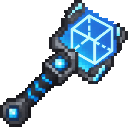
It is also available in Creative mode’s Tools & Utilities tab.
Capture a build with its minimum X/Y/Z corner in the orientation you want to reuse. Because placement preserves world-axis offsets rather than rotating the structure, plan the captured orientation before copying it. Keep a spare builder if you want to preserve one blueprint while capturing another.
This Java mod can be used on Windows and Mac PCs with the CreativeMode Launcher or any Minecraft launcher of your choice.

1. Download and install the new CreativeMode Launcher
2. Click to play on the top of the screen.
3. That's it — launches instantly. No complicated setup required.
Want to use on a different launcher? Download mod and manually install.
This mod is licensed under the CreativeMode Mods License.

