

Description
Choose a fate for players and mobs, then defy it by bringing them back.
Mod Wiki
Grim Fate Ledger
Quickstart
- Obtain the ledger from Creative Mode → Tools & Utilities, craft it using the recipe below, or use:
/give @s grim-fate-ledger-4vksjbka:grim_fate_ledger_4vksjbka - Hold it in either hand and right-click to open the ledger.
- Choose PLAYERS to list online players or MOBS to list nearby living mobs. Select a name, then choose a fate or press REVIVE.
- Fate and revive actions require operator access. The ledger can be opened without it, but those actions will be denied.
Overview
The ledger lets operators choose an immediate death cause for an online player or nearby mob, then restore players or fated mobs. Its screen has separate player and mob lists, a set of eight fates, and a revive action.
How To Use
- PLAYERS lists connected players. MOBS lists living, non-player mobs within 24 blocks.
- Select a name to make it the current target. If a list has more than eight entries, press REFRESH to cycle through its pages.
- Select one of the fate buttons to kill the selected target immediately. These are death causes, not summoned hazards.
- Press REVIVE to restore the selected target. Players must still be connected.
- Fated mobs appear in the mob list with a Revive: label. Select that entry and press REVIVE.
Crafting And Obtaining
Craft one ledger with the recipe:


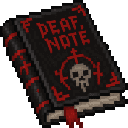
The ledger is also available in the Creative inventory under Tools & Utilities.
Abilities And Mechanics
| Fate | Effect |
|---|---|
| Road | Road impact |
| Orbital | Orbital cannon strike |
| Ice | Crushing ice |
| Lava | Lava damage |
| Fire | On-fire damage |
| Fall | Fall damage |
| Drown | Drowning |
| Blast | Explosion |
Road, Orbital, and Ice have distinctive death messages. Applying any fate kills the target immediately.
Reviving a dead player respawns them at full health, clears fire, and removes status effects. Reviving a fated mob brings it back at its recorded position and facing, preserving its custom name if it had one. Using REVIVE on a living target restores its health and clears fire and status effects.
Progression And Strategy
Fated mob records are kept for the operator who used the ledger and are cleared when that operator disconnects. Revive fated mobs before leaving the server.
Recipes


How to install
This Java mod can be used on Windows and Mac PCs with the CreativeMode Launcher or any Minecraft launcher of your choice.

1. Download and install the new CreativeMode Launcher

2. Click to play on the top of the screen.
3. That's it — launches instantly. No complicated setup required.
Want to use on a different launcher? Download mod and manually install.
This mod is licensed under the CreativeMode Mods License.