

Description
The Backrooms Light is a 4x4x4 multiblock fluorescent light fixture that emits a blinding level 15 light when active. Once placed, it automatically begins flickering on and off with realistic, unpredictable timing, complete with electric spark particles and ambient buzzing sounds for a true backrooms atmosphere. Right-click any part of the structure to toggle the flickering, locking the light into a steady always-on state, or right-click again to resume the eerie flickering.
Mod Wiki
Flickering Backrooms Light
Quickstart
- Craft the Flickering Backrooms Light item at a crafting table:


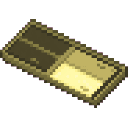
- Place the item anywhere in your world — it automatically expands into a 4×4×4 multiblock fluorescent light fixture.
- Step back and watch: the light immediately begins flickering on and off with unpredictable timing, accompanied by electric spark particles and an ambient buzzing sound.
- Right-click any part of the structure to lock the light into a steady always-on state. Right-click again to resume flickering.
Overview
The Flickering Backrooms Light is a large, atmospheric fluorescent ceiling fixture inspired by the eerie aesthetic of the Backrooms. It functions as both a powerful light source and an immersive environmental prop, filling any space with the unsettling hum and strobe of a failing fluorescent tube.
What It Adds
- Flickering Backrooms Light — a single craftable item that places a 4×4×4 multiblock fluorescent light structure.
How To Use
Placing the Light
Hold the Flickering Backrooms Light item and place it like any normal block. The full 4×4×4 structure assembles automatically at the placement location. Make sure you have enough space — the fixture is quite large.
Flickering Behaviour
Once placed, the fixture begins flickering immediately. The timing is intentionally irregular and unpredictable, simulating a worn-out fluorescent tube. While flickering:
- The light pulses on and off at randomised intervals.
- Electric spark particles emit from the fixture.
- An ambient buzzing sound plays continuously.
Toggling Flicker Mode
Right-click any block that is part of the structure to toggle between two states:
| State | Behaviour |
|---|---|
| Flickering (default) | Light strobes on and off with spark particles and buzzing sounds |
| Steady | Light stays permanently on at full brightness; particles and sounds stop |
Right-click again at any time to switch back.
Breaking the Structure
Breaking any single block of the multiblock structure removes the entire fixture and drops the item, so you can freely reposition it.
Abilities And Mechanics
- Light level 15 — the maximum possible in Minecraft, fully suppressing mob spawning in the lit area when the light is on.
- The flickering is server-side, meaning the on/off state is consistent for all players on a multiplayer server.
- The fixture faces the direction it is placed from, so you can orient it to suit your build.
Progression And Strategy
- Early use: The recipe requires only Glass, Redstone, Glowstone, and Iron Ingots — all obtainable before visiting the Nether (except Glowstone, which also drops from Witches or can be found in the Nether).
- Atmosphere building: Place multiple fixtures along a corridor ceiling to create an authentic Backrooms hallway effect, with overlapping flicker timings producing a chaotic strobe environment.
- Reliable lighting: Toggle flickering off in areas where you need stable level-15 illumination, such as mob farms or crop fields, then turn the flicker back on for ambiance when desired.
How to install
This Java mod can be used on Windows and Mac PCs with the CreativeMode Launcher or any Minecraft launcher of your choice.

1. Download and install the new CreativeMode Launcher

2. Click to play on the top of the screen.

3. That's it — launches instantly. No complicated setup required.
Want to use on a different launcher? Download mod and manually install.
This mod is licensed under the CreativeMode Mods License.