

Description
Grab enchanted weapons and snap-build defenses with the Duck Command Arsenal.
Mod Wiki
Duck Command Arsenal
Quickstart
- Craft the Duck Command Arsenal or enter
/duckto receive it. - Hold the item and use it to open its menu.
- Choose Sword, Bow, Crossbow, or Trident to receive an enchanted weapon. Choose Platform, Wall, or Tower to build in front of you.
- Face an open area before building: structures only replace air and other replaceable blocks. Select Close to leave the menu.
Overview
The Duck Command Arsenal is a handheld menu for calling in enchanted weapons and placing ready-made defenses. Weapon choices go into your inventory, or drop nearby if it is full. Builds use no blocks from your inventory.
What It Adds
| Menu choice | What you get |
|---|---|
| Sword | Netherite sword with Sharpness V, Fire Aspect II, Sweeping Edge III, and Unbreaking III |
| Bow | Bow with Power V, Flame, Infinity, and Unbreaking III |
| Crossbow | Crossbow with Quick Charge III, Multishot, and Unbreaking III |
| Trident | Trident with Impaling V, Loyalty III, Channeling, and Unbreaking III |
| Platform | 7×7 smooth-stone platform |
| Wall | 7-wide, 4-high brick wall |
| Tower | 3×3 cobblestone tower, 6 blocks high |
How To Use
Use the Arsenal item to open its menu, then click a choice. Weapon options provide standard Minecraft weapons with the enchantments listed above; use them as you would their normal counterparts.
Builds appear ahead of you, based on the direction you are facing. The menu reports how many blocks were placed. If existing blocks, the world border, or world height limits prevent placement, the build may be incomplete.
Crafting And Obtaining
Craft the Arsenal with this recipe:


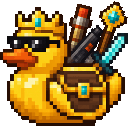
You can also use /duck to receive the Arsenal item.
Abilities And Mechanics
- The platform is placed ahead of you, one block below your position.
- The wall appears four blocks ahead; the tower appears five blocks ahead.
- Builds skip spaces that are not replaceable, so clear the area if you want the full structure.
- Weapons are delivered directly; building does not consume materials.
Progression And Strategy
Try the platform first to make a quick foothold, or place a wall between yourself and incoming threats. The tower gives you height for a better vantage point. Check your surroundings and face the direction you want to build before choosing an option.
How to install
This Java mod can be used on Windows and Mac PCs with the CreativeMode Launcher or any Minecraft launcher of your choice.

1. Download and install the new CreativeMode Launcher

2. Click to play on the top of the screen.
3. That's it — launches instantly. No complicated setup required.
Want to use on a different launcher? Download mod and manually install.
This mod is licensed under the CreativeMode Mods License.