


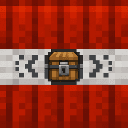
Description
The Custom Payload TNT is a special TNT block that lets you choose an item to be scattered everywhere when it explodes. Place the block, then right-click it to open the UI and insert any item from your inventory into the slot. Once you're happy with your choice, press the "Confirm Item" button to permanently lock it in as the payload. After confirming, you can ignite the TNT using Flint and Steel, a Fire Charge, or a redstone signal. When it detonates, it unleashes a 10-second shower of your chosen item raining down from the explosion point, scattering across the area for players to collect.
Mod Wiki
Custom Payload TNT
Quickstart
- Craft a Custom Payload TNT block using the recipe below.
- Place it in the world.
- Right-click the block to open the configuration UI.
- Drop any item from your inventory into the single payload slot.
- Click "Confirm Item" to lock in your chosen item.
- Ignite the block with Flint and Steel, a Fire Charge, or a redstone signal.
- Stand back — after a short fuse, the TNT explodes and your chosen item rains down for 10 seconds!
Overview
Custom Payload TNT is a configurable explosive block. Before detonating, you load it with any item of your choice. When it goes off, that item showers down from the blast point in a wide scatter, letting every nearby player collect the drops. It's perfect for event giveaways, fun traps, loot drops, or chaotic mini-games.
What It Adds
| Content | Description |
|---|---|
| Custom Payload TNT (block/item) | A special TNT block with a configurable item payload |
How To Use
1. Configure the Payload
Place the Custom Payload TNT block, then right-click it to open the payload UI. The screen shows:
- A single payload slot at the top — place the item you want to scatter here.
- Your full player inventory below for easy access.
- A "Confirm Item" button, which becomes active once an item is in the payload slot.
Click "Confirm Item" to permanently lock the payload. Once confirmed, the slot is sealed — items can no longer be inserted or removed — and the UI displays [LOCKED] to confirm the payload is set.
Note: You must confirm the payload before the TNT can be ignited. Unconfirmed blocks cannot be lit.
2. Ignite the TNT
Once the payload is confirmed, ignite the block using any of these methods:
- Flint and Steel — right-click the block (uses 1 durability).
- Fire Charge — right-click the block (consumes the charge).
- Redstone signal — power the block with any redstone source.
The block is removed and a primed TNT entity appears with a ~4-second fuse, emitting smoke particles. It cannot be damaged or stopped once lit.
3. The Item Rain
On detonation, a standard TNT explosion occurs, and then an invisible rain entity spawns above the blast point. For 10 seconds, it continuously drops your chosen item (one per drop, multiple drops every few ticks) across a roughly 6-block radius around the explosion centre. Items land with a short pickup delay before players can collect them.
Crafting And Obtaining
The recipe is unlocked automatically when you join a world.
The recipe uses 4 TNT, 4 Redstone, and 1 Chest arranged in an alternating pattern around the chest.
Abilities And Mechanics
- Payload lock: Once you press "Confirm Item," the payload is permanent and cannot be changed. Choose carefully!
- Any item works: The payload slot accepts any item in the game — blocks, tools, food, rare drops, and more.
- Stack size: Each individual item drop spawns with a count of 1, regardless of how many were placed in the payload slot.
- Drop spread: Items scatter up to ~3 blocks in any horizontal direction from the explosion point, with slight random vertical variation.
- Drop rate: Roughly 2–3 item entities spawn every 4 game ticks over the full 10-second shower (~50–75 total item entities).
- Explosion: The blast itself is equivalent to a standard TNT explosion (power 4), so it destroys nearby blocks and deals damage as normal.
- Redstone compatible: Works with all standard redstone triggers (buttons, levers, comparators, etc.) as long as the payload has been confirmed first.
Progression And Strategy
- Early game: A great way to redistribute surplus resources — load it with common materials and share them with friends.
- Events & mini-games: Use it as a prize dispenser or loot drop in multiplayer arenas by filling it with valuable items.
- Traps: Hide one loaded with worthless or hazardous items in a tempting location — the explosion and surprise shower can catch other players off guard.
- Redstone automation: Wire multiple Custom Payload TNT blocks to a single trigger for a synchronized multi-payload explosion event.
- Planning ahead: Because the payload is locked permanently on confirmation, always make sure you have the right item selected before clicking "Confirm Item."
How to install
This Java mod can be used on Windows and Mac PCs with the CreativeMode Launcher or any Minecraft launcher of your choice.

1. Download and install the new CreativeMode Launcher
2. Click to play on the top of the screen.
3. That's it — launches instantly. No complicated setup required.
Want to use on a different launcher? Download mod and manually install.
This mod is licensed under the CreativeMode Mods License.