


Description
See your exact coordinates with a single right click.
Mod Wiki
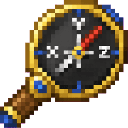
Coordinate Compass
Quickstart
- Craft the Coordinate Compass using the recipe below.
- Hold it in your hand and press the use/interact button ("Check Coordinates") to check your position.
- Watch your action bar and chat for your exact X, Y, Z coordinates.
Overview
Coordinate Compass is a simple handheld tool that tells you exactly where you are in the world. Instead of opening debug screens or menus, just hold the item and use it to instantly see your coordinates displayed on screen and in chat.
What It Adds
- Coordinate Compass — a craftable tool item that reveals your current X, Y, Z position with a single use.
How To Use
- Equip the Coordinate Compass in your hand like any tool.
- Right-click (or press the interact/use button, labeled "Check Coordinates") to activate it.
- Your coordinates appear briefly in the action bar as
X: _, Y: _, Z: _and are also printed in chat in blue and white text. - The tool has a very brief cooldown between uses, so you can check your position again almost immediately.
- It uses a spyglass-style raise-up animation when activated, taking a short moment to complete before showing your coordinates.
Crafting And Obtaining
Craft the Coordinate Compass at a crafting table using a compass, paper, and a gold ingot.
Abilities And Mechanics
- Reports your position rounded down to whole numbers for X, Y, and Z.
- Displays coordinates in two places at once: a temporary action bar message and a permanent chat log entry, so you can always scroll back to check where you were.
- Can only hold one Coordinate Compass per inventory slot (it does not stack), keeping it easy to keep on your hotbar for quick access.
Progression And Strategy
Keep the Coordinate Compass on your hotbar while exploring, mining, or building so you always know your exact location without leaving your current screen. It's especially useful for marking builds, returning to specific spots, coordinating with other players, or navigating back from long expeditions — all without needing to enable any debug displays.
How to install
Download the mod and follow the step-by-step installation guide.
This mod is licensed under the CreativeMode Mods License.