

Description
Tame adorable companions, care for them, and build lasting friendships across your Minecraft world.
Mod Wiki
Companion Collar
Quickstart
- Craft a Companion Collar at a crafting table, or obtain one from the Creative inventory under Equipment.
- Hold the collar in your main hand and look at a suitable creature within about 6 blocks.
- Use the collar on the creature to claim it as your companion. Wolves, cats, parrots, foxes, ocelots, rabbits, allays, axolotls, and other tameable creatures are supported.
- After claiming a companion, use the collar again to perform its selected action. Sneak while using the collar to cycle through the action wheel.
- Try pet first, then select pick up to keep the companion close as you travel.
You can also obtain the item with:
/give @s com_companion_collar_spqvdxzy:my_sword
Overview
Companion Collar lets you claim suitable creatures as personal companions and interact with them throughout your world. Claimed companions display their companion name and owner, follow you closely, and remain assigned to you when the world is reloaded.
The collar does not create a new creature. Instead, it adds companion interactions to existing pet-like creatures.
What It Adds
- A craftable Companion Collar
- Creature claiming and player ownership
- A three-action interaction wheel:
- Pet
- Pick up
- Interact
- Companion following and catch-up behavior
- Owner labels for claimed companions
- Hearts, sounds, and status messages during interactions
Supported Creatures
The collar can claim:
- Wolves
- Cats
- Parrots
- Foxes
- Ocelots
- Rabbits
- Allays
- Axolotls
- Other creatures with vanilla tameable behavior
- Companion-themed creatures recognized by the mod
A creature that already belongs to another player cannot be claimed or controlled by you.
How To Use
Claim a Companion
Hold the collar and use it while looking at an eligible creature. You can also use the collar against the creature directly.
An unclaimed creature becomes assigned to you and is labeled Companion, along with your owner name. A claim sound and confirmation message indicate that the process succeeded.
If the creature belongs to another player, the collar identifies its owner and does not let you take control of it.
Open the Interaction Wheel
Look at your claimed companion while holding the collar.
- Use the collar normally to activate the currently selected action.
- Sneak and use the collar to cycle to the next action.
- The action bar shows the current selection.
The actions cycle in this order:
- Pet
- Pick up
- Interact
The selection is player-specific and starts with pet.
Use the Pet Action
Select pet, then use the collar on your companion.
Your companion:
- Displays a temporary “being petted” label
- Produces heart particles
- Plays a companion sound
- Receives a short regeneration effect
- Shows a message that it enjoys the attention
After a short time, its normal companion label returns.
Use the Pick Up Action
Select pick up, then use the collar on your companion.
The companion is marked as being carried and follows you especially closely. Its label indicates that it is being carried.
To put it down:
- Sneak and use the collar until interact is selected.
- Use the collar on the carried companion.
The companion returns to its normal state and displays a confirmation message.
Use the Interact Action
Select interact, then use the collar on your companion.
- If the companion is being carried, it is put down.
- Otherwise, it looks at you expectantly and plays a companion sound.
Crafting And Obtaining
Craft the Companion Collar at a crafting table using leather, gold nuggets, and string.


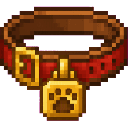
The recipe produces one collar. The required ingredients are:
- 2 leather
- 3 gold nuggets
- 1 string
The collar is a single-stack equipment item and can also be placed in the off-hand. The main hand is recommended when using the interaction wheel.
Abilities And Mechanics
Ownership
Each claimed companion is assigned to the player who claimed it. The owner is shown below the companion’s name.
Only the owner can:
- Change the interaction-wheel action
- Pet the companion
- Mark it as carried
- Put it down
- Use its other collar interactions
Other players receive a message identifying the companion’s owner instead.
Following
Claimed companions stay near their owner in the same dimension. If they fall a few blocks behind or become stuck, the collar’s companion behavior gently helps them catch up.
When nearby, a companion may make small idle movements and turn to face its owner.
Companion Labels
A claimed companion normally displays:
Companion
Owner: <player name>
While an action is active, the label temporarily shows the action, such as being petted or carried.
Progression And Strategy
- Start with a creature you already keep near your base so you can test each action safely.
- Use pet regularly for a visible friendship interaction and its brief regeneration effect.
- Choose pick up before traveling through cramped areas or when you want the companion to stay very close.
- Use interact to put down a carried companion.
- Claim companions for different bases or journeys, but remember that each companion can belong to only one player.
- Keep the collar in your main hand when you need the action-wheel display and selection controls.
How to install
Download the mod and follow the step-by-step installation guide.
This mod is licensed under the CreativeMode Mods License.