

Description
This mod is currently unfinished!
Mod Wiki
Command And Conquer Renegade
Quickstart
- Start with the battlefield kit: colored Mobile Construction Vehicles (MCVs), GDI and Nod vehicles, and 10,000 credits.
- Choose an MCV color and faction. Use the Deploy Construction Yard control—find its assigned key under Options → Controls → Renegade Controls—when you’re ready to set up your base.
- Place a faction Purchase Terminal and use it to access purchases with your credits.
- Try the GDI and Nod equipment and vehicles, then expand your battlefield with base deployers, infantry, aircraft, and Tiberium-themed content.
In Creative Mode, you can also search the inventory for the mod’s items and spawn eggs. Use a spawn egg on the ground to bring in its entity.
Overview
This is a Renegade-inspired battlefield sandbox built around GDI and Nod, mobile construction vehicles, base equipment, combat gear, and Tiberium-themed content. The starting credits and vehicles let you begin staging a conflict right away; crafting provides more MCV colors, faction variants, terminals, and battlefield props.
What It Adds
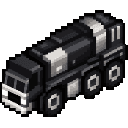
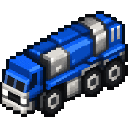
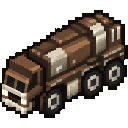
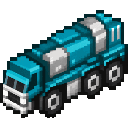
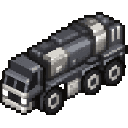
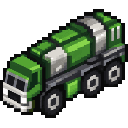
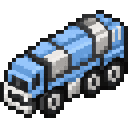
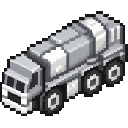
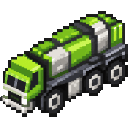
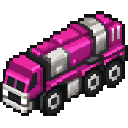
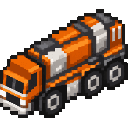
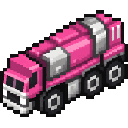
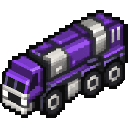
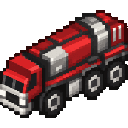
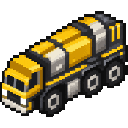
- MCVs: Mobile Construction Vehicles in 16 colors, plus GDI- and Nod-marked versions.
- Faction bases: Construction-yard controls and deployers for structures such as barracks, armories, weapons factories, airfields, tech centers, command posts, and Tiberium refineries.
- Vehicles and aircraft: GDI and Nod vehicle items, construction-vehicle spawn eggs, a Tiberium Harvester, and the Orca Flyer.
- Combat equipment: Infantry spawn eggs, faction-themed armor, rifles, ammunition, explosives, and other gear.
- Battlefield details: Purchase terminals, power equipment, Tiberium objects, color-changing building blocks, and decorative crates.
How To Use
MCVs and bases
Use the Deploy Construction Yard keybind when you want to deploy an MCV’s construction yard. The key assigned to this action can be checked or changed in the Renegade Controls category.
Faction and color variants let you coordinate a base visually. For example, a colored MCV can be converted into a GDI or Nod version with the corresponding badge; see Crafting And Obtaining.
Purchase terminals and credits
Place a GDI or Nod Purchase Terminal and interact with it to open its purchase interface. Your starting 10,000 credits give you a budget to experiment with the battlefield’s purchasing features.
Aircraft
The Orca Flyer has a dedicated Descend Orca Flyer control. Check the Renegade Controls category for its assigned key before flying.
Creative Mode spawning
Search for the mod’s spawn eggs to try entities such as the Mobile Construction Vehicle, Nod Construction Vehicle, Orca Flyer, Tiberium Harvester, and GDI turret assemblies. Use the eggs on the ground to spawn them.
Crafting And Obtaining
Each colored MCV recipe uses eight iron blocks with the matching dye in the center. Here is the white MCV recipe as an example:


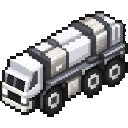
Craft a GDI Commander’s Badge or Nod Commander’s Badge , then combine the badge shapelessly with an MCV to make that faction’s version. For example, the white GDI MCV is , and the white Nod MCV is . The same faction conversion is available for the other MCV colors.
Other useful recipes include the MCV Pickup Tool , the GDI Purchase Terminal , the Nod Purchase Terminal , and the Master Control Terminal . Decorative crates and color-changing concrete are also craftable.
Abilities And Mechanics
- Color and faction are separate choices: craft a colored MCV, then use a GDI or Nod badge to make a faction-marked variant.
- Construction is driven by a control: locate the Deploy Construction Yard keybind in the controls menu rather than assuming a particular default key.
- The Orca has a dedicated descent control: check its binding before piloting.
- Tiberium has several related pieces: the mod includes Tiberium pods, blossom trees, crystal shards, refinery equipment, and a Harvester for building out a themed battlefield.
Progression And Strategy
Start by choosing a faction and MCV color, then deploy a construction yard and place a Purchase Terminal. Spend the starting credits to try the available purchases, and add faction structures and vehicle or infantry content to shape the battle. For a more complete scene, mix in Tiberium features, power equipment, decorative crates, and color-changing blocks.
Recipes








How to install
This Java mod can be used on Windows and Mac PCs with the CreativeMode Launcher or any Minecraft launcher of your choice.

1. Download and install the new CreativeMode Launcher
2. Click to play on the top of the screen.
3. That's it — launches instantly. No complicated setup required.
Want to use on a different launcher? Download mod and manually install.
This mod is licensed under the CreativeMode Mods License.