

Description
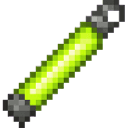
Use the Caveglow Stick to toggle full brightness in dark caves.
Mod Wiki
Caveglow Stick
Quickstart
You receive a Caveglow Stick automatically when you join, as long as you have room in your inventory. Select it and use it to open its menu, then choose Turn Full Bright On. Use the stick again and choose Turn Full Bright Off when you want to switch it off.
Overview
The Caveglow Stick gives you a toggle for cave visibility. When enabled, it applies Night Vision without particles and refreshes the effect so it stays active.
What It Adds
- Caveglow Stick: An equippable item that opens the full-bright toggle menu. It can also be carried in your off hand.
How To Use
- Use the stick to open the Caveglow Stick menu.
- Check whether Cave full bright is ON or OFF.
- Choose the button to switch it to the other setting.
Full bright changes what you can see; it does not place light or illuminate blocks. Turning it off removes your Night Vision effect.
Crafting And Obtaining
You can craft another stick at a crafting table. The recipe unlocks when you have a regular stick.


Abilities And Mechanics
- While enabled, Night Vision is refreshed automatically, including after you respawn.
- The mod enables Keep Inventory for the world, preserving items and experience when players die.
How to install
Download the mod and follow the step-by-step installation guide.
This mod is licensed under the CreativeMode Mods License.