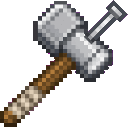
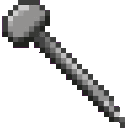
- Hold the Block Binder and right-click any block in the world to pick it up — it disappears from the world and is stored inside the tool.
- Right-click a surface to place the stored block at that location. The block is now anchored.
- To retrieve an anchored block, hold an empty Block Binder (no stored block) and left-click the anchored block.
Overview
The Block Binder is an iron-tier hand tool that lets you lift blocks out of the world and nail them down somewhere else. Rather than breaking blocks and collecting item drops, the Block Binder stores the block directly inside itself and deposits it intact wherever you point. Blocks placed with the tool become anchored — they resist ordinary breaking — making the Block Binder useful for precise building, rearranging structures, and fast demolition work.
What It Adds
| Item | Description |
|---|
| Block Binder | Iron-tier tool for picking up and placing anchored blocks |
| Nail | Consumable item required to anchor blocks in Survival mode |
Both items appear in the Tools & Utilities creative tab.
How To Use
Picking Up a Block
Right-click any block in the world while holding the Block Binder. The block is removed and stored inside the tool. A hammer sound plays and a small amount of durability is consumed. The tool can only hold one block at a time.
Blocks with a hardness of less than zero (indestructible blocks like bedrock) cannot be picked up.
Placing (Anchoring) a Block
While a block is stored in the Binder, right-click any surface to nail the stored block there. The block is placed and immediately becomes anchored. A hammer sound plays and durability is consumed. In Survival, one Nail must be in your inventory — it is consumed on placement. Creative mode players are exempt from this requirement.
Retrieving an Anchored Block
Anchored blocks cannot be picked up with a simple right-click. To retrieve one:
- Hold a Block Binder that has no block stored (empty).
- Left-click the anchored block.
If you right-click an anchored block, the tool will remind you to left-click instead. A different hammer pitch plays when pulling up an anchored block compared to a fresh pickup.
Faster Breaking
While the Block Binder is held in either hand, your block-breaking speed is significantly boosted (destroy speed 5.0). This makes clearing out areas much faster than breaking by hand, even for blocks you aren't using the Binder to pick up.
Abilities And Mechanics
- Block storage — The picked-up block is saved inside the tool's data; it is not dropped as an item and is not placed in your inventory.
- Anchoring — Anchored blocks resist normal breaking. They can only be retrieved using the left-click method with an empty Block Binder.
- Durability — Each pickup and each placement costs durability. The Block Binder uses iron-tier durability.
- Nail consumption — In Survival, every anchored placement consumes exactly one Nail from your inventory. If you have no Nails, you cannot anchor a block.
- Break speed boost — Holding the Block Binder in either hand grants a destroy speed of 5.0, faster than bare hands but not instantaneous.
- Hammer sounds — Pickups play at a higher pitch; pulling up an anchored block plays at a lower pitch.
Progression And Strategy
- Early game: Craft the Block Binder as soon as you have iron. The Nail recipe produces 8 Nails at a time, so a small iron investment goes a long way.
- Building and rearranging: Use the Binder to relocate placed blocks without breaking them into drops — great for moving decorative or hard-to-re-obtain blocks.
- Anchoring as protection: Anchor key structural blocks to make them resistant to accidental breaking. Remember to keep Nails stocked.
- Demolition: Even when you don't need to relocate blocks, simply holding the Block Binder speeds up all your breaking, making it a handy demolition tool.
- Durability management: Each interaction costs durability, so carry a second Binder or repair materials when doing large-scale work.