

Description
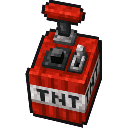
The Blast Radius item is a powerful and chaotic tool that, when right-clicked, instantly places 100 TNT blocks in the air around you within a roughly 5-block radius. Once the TNT is placed, it behaves like normal TNT and can be ignited however you choose. The item has a 5-second cooldown after each use to prevent rapid re-activation.
Mod Wiki
Blast Radius
Quickstart
- Craft the Blast Radius item using the recipe below (or grab it from the Combat creative tab).
- Hold it in your hand and right-click to instantly surround yourself with 100 TNT blocks spread across a ~5-block radius.
- Ignite the TNT however you like — flint and steel, fire charges, arrows, redstone — and run!
- The item has a 5-second cooldown before you can use it again.


Overview
Blast Radius adds a single, chaotic item that lets you conjure a massive ring of TNT in an instant. It's a pure destruction toy — great for clearing terrain, building craters, or just causing mayhem in a creative world.
What It Adds
| Item | Stack Size | Found In |
|---|---|---|
| Blast Radius | 1 | Combat creative tab, craftable |
How To Use
- Right-click while holding the Blast Radius item to place up to 100 TNT blocks in the air around your current position within a ~5-block sphere.
- Only air blocks are filled — solid blocks, water, and other non-air blocks are skipped, so the exact layout of TNT depends on your surroundings.
- The TNT is placed but not automatically lit. You choose when and how to ignite it.
- After activation, the item enters a 5-second cooldown (shown by the item greying out). You cannot trigger it again until the cooldown expires.
- The Blast Radius item is immune to explosions, so it won't be destroyed by the very TNT it spawns.
Abilities And Mechanics
- Sphere placement: TNT fills empty air blocks in a roughly spherical pattern centered on your feet, up to 5 blocks in every direction.
- 100-block cap: Exactly 100 TNT blocks are placed per use (or fewer if there aren't enough adjacent air blocks).
- Normal TNT behavior: Once placed, the TNT acts like any vanilla TNT — it can be ignited by fire, redstone, flint and steel, explosions from other blocks, or any other standard method.
- Explosion immunity: The item itself survives blasts, so you won't lose it mid-chaos.
Crafting And Obtaining
Surround a Nether Star with 8 TNT in a crafting table:
The recipe is unlocked as soon as you join a world, and the item also appears in the Combat tab in Creative mode.
Progression And Strategy
- Terrain demolition: Activate Blast Radius while standing in open air or above ground to blanket a wide area in TNT for instant, large-scale excavation.
- Chain reactions: Space multiple activations (using the 5-second cooldown window to reposition) to create cascading explosions across a huge area.
- Precision ignition: Because the TNT isn't lit automatically, you control the timing — set up redstone circuits to detonate everything at once, or light sections individually for staggered blasts.
- Survival tip: The 5-block radius means TNT spawns very close to you. Make sure you're well clear before igniting, or use a long redstone fuse.
How to install
This Java mod can be used on Windows and Mac PCs with the CreativeMode Launcher or any Minecraft launcher of your choice.

1. Download and install the new CreativeMode Launcher

2. Click to play on the top of the screen.

3. That's it — launches instantly. No complicated setup required.
Want to use on a different launcher? Download mod and manually install.
This mod is licensed under the CreativeMode Mods License.