

Description
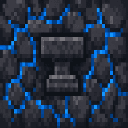
Bedrock Forge adds a survival progression built around a craftable Bedrock Forge that turns obsidian into Bedrock Shards, which you smelt or combine into Bedrock Ingots and Bedrock Alloy Blocks to craft an ultra-durable Bedrock toolset, weapons, and full armor with unique visuals and powerful full-set perks. Use the Bedrock Forge by right-clicking it with obsidian to produce shards, then upgrade gear as you collect more obsidian and alloys; built-in commands (/bedrockforge, /bedrockforge guide, /bedrockforge status, /bedrockforge give_kit) help with onboarding, status checks, and starter kits. For creative builders a dedicated Bedrock Forge tab groups the forge block, materials, tools, weapons, and armor for easy access, and the mod is released as version 3.0.0.
Mod Wiki
Bedrock Forge
Quickstart
- Craft the Bedrock Forge using obsidian, crying obsidian, diamonds, and netherite scrap:
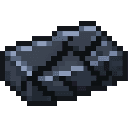

- Place the Bedrock Forge in the world (requires a diamond-tier pickaxe to mine).
- Right-click the Bedrock Forge with obsidian in hand to produce Bedrock Shards.
- Craft Bedrock Ingots by combining Bedrock Shards with netherite ingots, then craft your first tools and armor.
- Use
/bedrockforge give_kitto receive a starter kit if you want to jump straight in.
All mod items are found in the Bedrock Forge creative tab.
Overview
Bedrock Forge is a late-game progression mod that adds a new tier of gear beyond netherite. Starting from obsidian and advanced Nether materials, you work your way up to an ultra-durable Bedrock toolset, weapons, and full armor set — each with unique visuals and powerful full-set perks.
What It Adds
| Category | Items |
|---|---|
| Block | Bedrock Forge, Bedrock Alloy Block |
| Materials | Bedrock Shard, Bedrock Ingot |
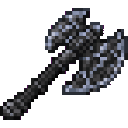
| Tools | Bedrock Pickaxe, Axe, Shovel, Hoe |
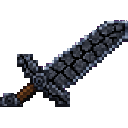
| Weapons | Bedrock Sword |
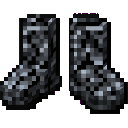
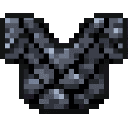
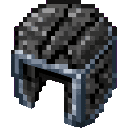
| Armor | Bedrock Helmet, Chestplate, Leggings, Boots |
How To Use
The Bedrock Forge Block
Place the Bedrock Forge and right-click it while holding obsidian to convert the obsidian into Bedrock Shards. Collect enough shards to start crafting ingots and eventually a full gear set.
The Bedrock Forge requires a diamond-tier pickaxe (or better) to break and drops itself when mined.
Commands
| Command | Description |
|---|---|
/bedrockforge | General mod info and help |
/bedrockforge guide | In-game progression guide |
/bedrockforge status | Check your current gear/progress |
/bedrockforge give_kit | Gives a starter kit to get going quickly |
Crafting And Obtaining
Bedrock Forge

Bedrock Shard
Obtained by right-clicking the Bedrock Forge with obsidian, or crafted with obsidian and ancient debris:
Bedrock Ingot
Combine Bedrock Shards with netherite ingots:
Or unpack a Bedrock Alloy Block:
Bedrock Alloy Block
Compress nine Bedrock Ingots into a storage block:


Tools
Bedrock Pickaxe
Bedrock Axe
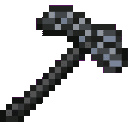
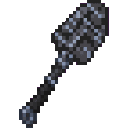
Bedrock Shovel
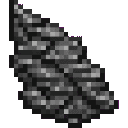

Bedrock Hoe
Weapons
Bedrock Sword
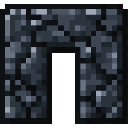
Armor
Bedrock Helmet
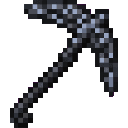
Bedrock Chestplate

Bedrock Leggings
Bedrock Boots
Repairing
Bedrock tools and armor can be repaired in an anvil using Bedrock Ingots.
Abilities And Mechanics
- Ultra-durable tier — Bedrock gear sits above netherite in durability and stats.
- Unique visuals — All Bedrock gear has custom textures distinct from vanilla materials.
- Full-set perks — Wearing the complete Bedrock armor set grants powerful bonuses.
- Bedrock Alloy Block — Acts as a compact storage block (9 ingots → 1 block) and is mineable only with a diamond-tier or better pickaxe.
Progression And Strategy
- Reach the Nether — Gather ancient debris, netherite ingots, and crying obsidian before attempting to craft the Forge.
- Craft the Bedrock Forge — This is your gateway to the entire material chain.
- Farm obsidian — Right-click the Forge repeatedly to build up a stock of Bedrock Shards.
- Smelt shards into ingots — Combine with netherite ingots to produce Bedrock Ingots.
- Prioritize armor — The full-set perks reward completing the armor before branching into tools.
- Store surplus ingots as Bedrock Alloy Blocks to save inventory space, then unpack them as needed.
- Use
/bedrockforge statusat any point to track your progression toward a complete set.
How to install
This Java mod can be used on Windows and Mac PCs with the CreativeMode Launcher or any Minecraft launcher of your choice.

1. Download and install the new CreativeMode Launcher

2. Click to play on the top of the screen.

3. That's it — launches instantly. No complicated setup required.
Want to use on a different launcher? Download mod and manually install.
This mod is licensed under the CreativeMode Mods License.