

Description
Hunt Azure Slimes, earn rewards, and unlock powerful upgrades in a persistent progression adventure.
Mod Wiki
Azure Slime
Quickstart
- Find an Azure Slime at night on the surface, or use an Azure Slime Spawn Egg from the Creative inventory. With commands enabled, you can summon one with:
/summon com_azure_slime_4yn77sl2:azure_slime - Defeat Azure Slimes and collect their Azure Shards. They can drop up to 3 shards.
- Craft an Azure Sigil with an Ender Eye and Azure Shards.
- Use the Sigil to open the Azure Slime menu, then choose Start Azure Hunt. You can also open this menu by interacting with an Azure Resonance Block.
- Defeat the five hunt targets that appear around you. Each target grants 5 progression XP.
- Watch the action bar for your level, XP, and remaining hunt targets. Completing a hunt grants Azure Shards and another Azure Sigil.
A Sigil opens the hunt menu but is not consumed when a hunt starts. Only one hunt can be active for each player.
Overview
Azure Slime is a persistent hunting and progression adventure. Battle Azure Slimes, complete five-target hunts, earn progression XP, and unlock milestone rewards.
Your progression is tracked per player:
- You begin at Level 1 with 0 XP.
- Hunt targets grant 5 XP each.
- The XP required for the next level is
20 + (current level × 10). - Level and XP remain available as you continue playing.
- Your level appears in the action bar and is also recorded by the
azure_levelscoreboard objective.
What It Adds
| Content | What it does |
|---|---|
| Azure Slime | Hostile monster that attacks nearby players and drops Azure Shards. |
| Azure Slime Spawn Egg | Spawns an Azure Slime from the Creative inventory. |
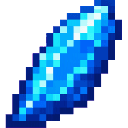
| Azure Shard | Main hunting reward and crafting material. |
| Azure Sigil | Opens the Azure Hunt menu. |
| Azure Resonance Block | Opens the same hunt and progression menu when interacted with. |
| Azure Hunt | A five-target challenge that awards XP and completion rewards. |
How To Use
Starting a Hunt
Use an Azure Sigil, or interact with an Azure Resonance Block, to open the Azure Slime menu. The menu shows:
- Your current level
- Current XP and the amount needed for the next level
- Whether a hunt is active
- The number of remaining targets
Choose Start Azure Hunt when no hunt is active. Five Azure Slime targets spawn 5–10 blocks around you.
Completing a Hunt
Defeat all five targets created by the hunt. The action bar shows the remaining count in the form remaining/5.
Hunt targets are associated with the player who started the hunt. Stay within 48 blocks of the target area so the hunt can continue tracking them. If none of your remaining targets are nearby, the remaining targets are spawned around your current location.
When the fifth target is defeated:
- The hunt ends.
- You receive Azure Shards based on your level.
- You receive 1 Azure Sigil.
- A completion sound plays.
Ordinary Azure Slimes do not advance an active hunt unless they are one of that hunt’s targets.
Tracking or Resetting a Hunt
Use a Sigil or interact with an Azure Resonance Block while a hunt is active.
- Track active Hunt reminds you that targets are tracked nearby and that you should stay within 48 blocks.
- Reset Hunt clears the active hunt and removes its nearby hunt targets. Resetting does not erase your level or XP and does not grant the completion reward.
Crafting And Obtaining
Azure Shard
Azure Slimes may drop up to 3 Azure Shards when defeated. Looting can increase the amount. Azure Shards are also available in the Creative inventory.
Azure Sigil
An Azure Sigil can rarely drop when an Azure Slime is killed by a player or a player’s pet. It can also be crafted:
- 4 Azure Shards
- 1 Ender Eye



Using a Sigil opens the Azure Slime menu. Starting a hunt does not remove the Sigil.
Azure Resonance Block
The Azure Resonance Block can be crafted from:
- 8 Azure Shards
- 1 Lapis Lazuli


Interact with the block to open the Azure Slime menu. Mine it with a pickaxe to recover the block.
The block is also awarded when you reach Level 3 and can be obtained from the Creative inventory.
Abilities And Mechanics
Azure Slime Combat
Azure Slimes have:
- 16 health
- 4 melee attack damage
- A target range of up to 16 blocks
- Basic walking and jumping movement
- The ability to float and move through water
Use ranged attacks, high ground, or a shield to control the fight. Azure Slimes can attack players who approach too closely.
Natural Spawning
Azure Slimes can naturally spawn:
- On the surface
- On grass or mycelium
- In brightness levels from 0 through 7
- In Easy, Normal, or Hard difficulty
- In biomes recognized as monster-spawning biomes
- In groups of 1–2
Search dark grassy or mycelium-covered areas after sunset if you are hunting them naturally.
Azure Slime Drops
A defeated Azure Slime may provide:
- Up to 3 Azure Shards
- A rare Azure Sigil when killed by a player or pet
- Normal Minecraft experience when the final hit is dealt by a player
The Azure Sigil drop has a base chance of about 2.5%; Looting has only a small effect on this chance.
Progression And Strategy
Level Milestones
| Level | Unlock |
|---|---|
| Level 1 | Starting level. |
| Level 2 | Receive 4 Azure Shards. Hunt completion rewards begin increasing. |
| Level 3 | Receive 1 Azure Resonance Block. |
| Level 4 and higher | Continue gaining levels and XP; hunt shard rewards reach their maximum at Level 4. |
XP carries over after leveling. For example, reaching Level 2 requires 30 XP from Level 1, and reaching Level 3 requires another 40 XP.
Hunt Completion Rewards
The completion reward is based on your level when the hunt finishes:
| Level | Azure Shards |
|---|---|
| Level 1 | 4 |
| Level 2 | 5 |
| Level 3 | 6 |
| Level 4 or higher | 7 |
You also receive 1 Azure Sigil for every completed hunt.
Helpful Strategies
- Spawn or find several Azure Slimes before beginning if you want extra shards for crafting.
- Start hunts in an open area so the five targets have room to appear and move.
- Keep the action bar visible while fighting to monitor the remaining target count.
- Use the Azure Resonance Block as a convenient permanent hunt-menu station.
- Save Azure Shards for the Resonance Block if you want a reliable way to open the hunt menu.
- Use
/scoreboard objectives setdisplay sidebar azure_levelto display your Azure level in the sidebar.
How to install
Download the mod and follow the step-by-step installation guide.
This mod is licensed under the CreativeMode Mods License.