72 downloads


Description:
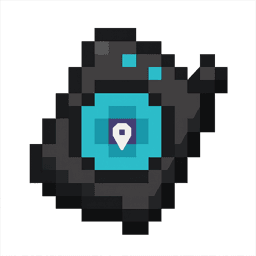
Waypiont is a compass-based waypoint system you open by right-clicking (or tap-and-hold on mobile). From the touch-friendly menu you can create a new waypoint at your current position or custom coordinates—choosing a name, color and marker letter—and then confirm before it’s saved in memory. In “My Waypoints,” each entry shows a colored square icon with your chosen letter, and you can edit its name/color/letter, teleport there instantly (cross-dimension supported), or delete it whenever you like.
Manage versions and create new iterations of this mod.
This will create a new mod based on "Waypiont" with your modifications. The original mod will remain unchanged and you'll be credited as the author of the remix.
72
Sep 15, 2025, 08:00 AM
User request: create item name is waypiont Create a Minecraft Bedrock (version 1.21.100+) mod that adds a waypoint system working on mobile. When the player right-clicks (or taps and holds on mobile) it opens a menu with three options: 1. "New Waypoint" → Opens a screen where the player can set: - Waypoint name (text field) - Waypoint color (choose from 100+ colors) When saved, the waypoint appears in the world as a floating square with the selected color. The center of the square shows the first letter of the waypoint name (example: "Home" shows "H", "Village" shows "V"). It must be visible from up to 100,000 blocks away and visible through blocks. 2. "My Waypoints" → Shows a list of all created waypoints. Selecting a waypoint opens a submenu: - "Edit Waypoint" → Change name and color. - "Teleport" → Teleports player to this waypoint coordinates. - "Delete" → Deletes this waypoint. 3. "Create Waypoint with Coordinates" → Same as "New Waypoint" but also has three input fields (X, Y, Z) to manually set coordinates for the waypoint. Make sure the mod works on Minecraft Bedrock 1.21.100+ and is optimized for touch controls. Edit v2: Update the Minecraft Bedrock (1.21.100+) Waypoint mod with the following changes and fixes: 1. When creating a waypoint, do NOT spawn any entity or item in the world. Just save its location in memory. Right-click (or tap-and-hold on mobile) should open the menu without giving or taking any item. 2. Add icons to all menu options: - "New Waypoint" → plus icon - "My Waypoints" → map marker icon - "Create Waypoint with Coordinates" → map-pin icon with small X/Y/Z label under it - Inside My Waypoints: - "Edit Waypoint" → pencil icon - "Teleport" → Enderman eye icon - "Delete" → trash can icon 3. Add a "Back" button (X icon at top right). If pressed inside New Waypoint or Coordinate Waypoint screen, it returns to the main menu. If pressed again from main menu, it closes the UI completely. 4. When selecting color + name for a waypoint, show the name in the chosen color (colored text). Do NOT concatenate the color name with the waypoint name (NO "redhome", "bluevillage"). Example: ✅ "Home" in red ❌ "redhome" 5. Add option in "New Waypoint" and "Create Waypoint with Coordinates" to choose which letter (A–Z) appears in the square icon. If none is chosen, default to first letter of the waypoint name. 6. Fix transparency: make the waypoint marker a visible solid square with chosen color, showing the selected letter clearly in the center. 7. Make sure the UI and markers are touch-friendly and optimized for mobile.
1
Sep 15, 2025, 07:23 AM
User request: create item name is waypiont Create a Minecraft Bedrock (version 1.21.100+) mod that adds a waypoint system working on mobile. When the player right-clicks (or taps and holds on mobile) it opens a menu with three options: 1. "New Waypoint" → Opens a screen where the player can set: - Waypoint name (text field) - Waypoint color (choose from 100+ colors) When saved, the waypoint appears in the world as a floating square with the selected color. The center of the square shows the first letter of the waypoint name (example: "Home" shows "H", "Village" shows "V"). It must be visible from up to 100,000 blocks away and visible through blocks. 2. "My Waypoints" → Shows a list of all created waypoints. Selecting a waypoint opens a submenu: - "Edit Waypoint" → Change name and color. - "Teleport" → Teleports player to this waypoint coordinates. - "Delete" → Deletes this waypoint. 3. "Create Waypoint with Coordinates" → Same as "New Waypoint" but also has three input fields (X, Y, Z) to manually set coordinates for the waypoint. Make sure the mod works on Minecraft Bedrock 1.21.100+ and is optimized for touch controls.
Click here for installation instructions
This mod is licensed under the CreativeMode Mods License.