CreativeMode

Creative
Mode

ExploreModJamsCreateJoin our community
Sign in
Craft first mod
CreativeMode

Creative
Mode

Sign in
Create
Account
Community
Resources

Create without limits.

Privacy PolicyTerms of Use

© 2026 CreativeMode. Not an official Minecraft product. Not approved by or associated with Mojang or Microsoft.

CREATIVEMODE
    Create
    Account
    Community
    Resources

    Create without limits.

    Privacy PolicyTerms of Use

    © 2026 CreativeMode. Not an official Minecraft product. Not approved by or associated with Mojang or Microsoft.

    CREATIVEMODE
    v1
    MC Bedrock

    Vanta Black Block

    by
    lazaruscode
    lazaruscode

    39 downloads

    Block
    Decoration
    +2 more
    v1
    MC Bedrock

    Vanta Black Block

    by
    lazaruscode
    lazaruscode

    39 downloads

    Block
    Decoration
    Cool
    Fun

    Description:

    Vanta Black... The color that absorbs light better than any other. In the images it is the block on the far right next to black terracotta, black concrete, and a block of coal. The other image shows it placed one block below floor level giving the illusion of a drop into a black void.

    Mod Wiki

    Vanta Black Block

    Quickstart

    1. Collect Coal Blocks — you need 9 of them.
    2. Open a Crafting Table and fill all 9 slots with Coal Blocks to craft one Vanta Black Block.
    3. Place the block anywhere in your world to enjoy its ultra-dark, near-black appearance.
    4. Break it to recover the block as a drop.

    Overview

    Vanta Black Block adds a single decorative full-cube block to Minecraft Bedrock. Its texture mimics Vantablack — an extremely dark, low-reflection surface that appears as an almost pure void of color. It fits perfectly in dark builds, void-themed rooms, space interiors, and high-contrast accent work.

    What It Adds

    BlockDescription
    Vanta Black BlockA solid, full-cube block with an ultra-dark Vantablack-inspired texture. Found in the Construction tab of the creative inventory.

    Crafting And Obtaining

    Craft the Vanta Black Block at a Crafting Table using 9 Coal Blocks:

    minecraft:coal_block
    minecraft:coal_block
    minecraft:coal_block
    minecraft:coal_block
    minecraft:coal_block
    minecraft:coal_block
    minecraft:coal_block
    minecraft:coal_block
    minecraft:coal_block
    Arrow
    com_vanta_black_block_vpf6sro4:my_block

    When you break a placed Vanta Black Block it always drops itself, so you never lose it to loot-table chance.

    Abilities And Mechanics

    • Appearance — The block uses an ultra-dark texture and fully dampens light, making it appear as a near-perfect black void in-game.
    • Map color — Shows as near-black (#050505) on a Cartography Table map.
    • Hardness — Takes about 1.5 seconds to mine by hand or with a tool.
    • Blast resistance — Moderate explosion resistance (6.0), comparable to wood or sandstone.
    • Drops itself — Breaking the block always returns one Vanta Black Block, regardless of tool or enchantments.
    • Friction — Standard friction, identical to most vanilla blocks; no slipping.

    Progression And Strategy

    • Use Vanta Black Blocks as a void or space aesthetic material — they absorb surrounding light visually and create striking contrast against bright or neon blocks.
    • Because 9 Coal Blocks craft only 1 Vanta Black Block, plan your builds ahead and stockpile Coal Blocks before large projects.
    • Pair with glowstone, sea lanterns, or neon-colored concrete for high-contrast lighting builds.
    • The block is fully survival-obtainable, making it a viable late-game decorative material once coal is in good supply.

    How to install

    Download the mod and follow the step-by-step installation guide.
    Players also liked

    The Garden v2 – image 1
    75MC Bedrockv3

    The Garden v2

    Profile picture for lazaruscodelazaruscode500 Downloads

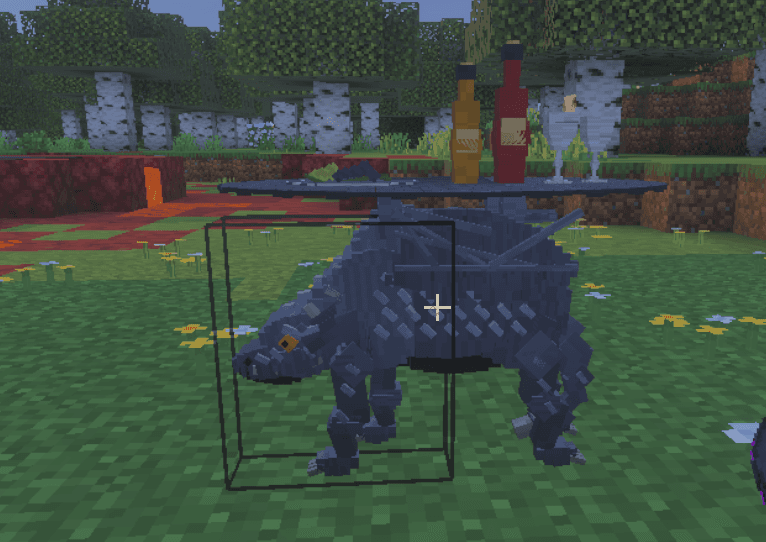
    The Garden v2 (64v) is a placeable block that instantly generates a mixed forest of Oak, Dark Oak, Cherry, Pale Oak, Acacia, and Spruce in a 64x64 area centered on its placement. Builds the trees immediately (replacing existing blocks); the block then removes itself after generation.

    Block · Functional · Decoration · +2
    Royal Flush Table – image 1
    152MC Bedrockv2

    Royal Flush Table

    Profile picture for exsoexsoCreativeMode Pro

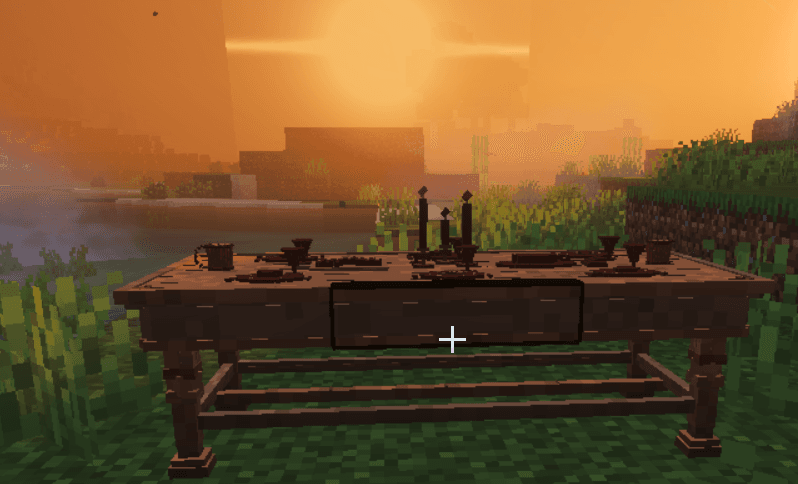
    Placeable custom-model poker table block that functions as an in-game poker machine; interact to open the poker UI where you pick a bid increment, then play rounds where you can Fold (forfeit bet and end), Stand (draw an extra card), or Call (place the selected additional bet) until you have five cards and the table determines a winner using standard poker hand rankings. All bets, calls, folds, refunds and payouts are tracked through the Bedrock scoreboard objective named money (players are auto-initialized if needed), winners receive exactly 2x the total combined session bet, and immersive sounds and particle effects play for opening, dealing/drawing, actions, wins, losses, ties and errors.

    Block · Fun · Cool · +3
    Vampiric Soul Siphon – image 1
    88MC Bedrockv2

    Vampiric Soul Siphon

    Profile picture for lazaruscodelazaruscode500 Downloads

    You know those little plug-in air fresheners people stick in the wall and then completely forget about? The ones that just silently do their thing in the corner, slowly consuming something, and you only remember they exist when you walk past and go "oh... huh, still going"? That's the Vampiric Soul Siphon. It sits there. It waits. It feeds. You don't even have to watch. This thing is a placeable, indestructible block — so congratulations, you've put down something you literally cannot accidentally destroy, which is more than can be said for most of your life choices. Slap it down and walk away, because it has a whole system and it doesn't need you involved. What it actually DOES: Broadcasts a 30-block "come hither" signal to every hostile mob in the neighborhood, luring them in like a coupon for free violence Once they mosey over, it suppresses their movement and attacks — no fighting back, no running, just a purple swirling existential crisis — and drags them into a 2-block trap Drains 2 HP per second from anything caught in it, with purple portal particles doing their best Vegas show impression the whole time, until the mob is just... gone. Slowly. Dramatically. Vacuums up all the dropped loot and XP like the world's most gothic Roomba, storing everything inside itself Stand next to it and it automatically dumps all the rewards into your pockets — you didn't fight, you didn't sweat, you just showed up and collected. Incredible. Mine it with any pickaxe and it hands everything back like a very cooperative little murder machine It's the lazy-boy recliner of mob farms. The "set it and forget it" rotisserie oven, but for souls. You put it in the corner of your pyramid, go do literally anything else, and come back to find it surrounded by purple smoke and a pile of loot like it's been running a very efficient, very creepy small business while you were gone.

    Block · Functional · Weapon · +3
    Jackpot Slot Machine – image 1
    816MC Bedrockv3

    Jackpot Slot Machine

    Profile picture for exsoexsoCreativeMode Pro

    Placeable slot machine block; right-click to open a polished custom UI with three-item reel animations and choose a bet (1,000; 10,000; or 100,000) using the server money scoreboard—the bet amount is deducted when you spin and outcomes pay 1.5× for two matching items, 3× for three matches, and nothing for no match. The machine now advances spins and reel-locks automatically through timed HUD/action-bar animation frames (no Next/Stop buttons) and features machine hum, reel acceleration, light flash, and coin-shower sounds plus particle flashes and camera shake for richer, outcome-specific celebrations. Wins send you a message and three-match jackpots broadcast a server announcement; payouts, spin-again flow, and scoreboard money handling remain intact for smooth gameplay.

    Block · Fun · Functional · +6
    The Pale – image 1
    61MC Bedrockv6

    The Pale

    Profile picture for lazaruscodelazaruscode500 Downloads

    Okay so picture this: someone hot-glued a glow-in-the-dark garden gnome to a Roomba, dressed it in a pink-gray onesie, gave it the eyes of a possessed Build-A-Bear, and just... released it into the woods. That's The Pale. It's the creepy decorative owl your aunt puts on her porch that's supposed to scare birds away but just silently stares at you while you're trying to enjoy a barbecue. It floats around the Pale Oak Forest like it owns the place — and honestly? It kind of does. These little nightmare-cherubs roll in flocks of 3 to 6, patrolling their pale little groves day AND night, because sleep is for the living and The Pale has commitments. Twenty of them can show up at once, which is less a flock and more a HOA meeting with glowing eyes and neon-blue particle trails following them everywhere like they've got their own personal Instagram filter permanently on. And look, I see you staring at that first picture. Yes. I know. He looks like someone told him a really bad pun mid-sneeze and his face just... committed to it permanently. Fully locked in. "This is my face now," energy. The devs call it a render — I call it a cry for help frozen in pink-gray pixels. But here's the thing — I fixed it. The thumbnail just hasn't gotten the memo yet because the program updates on its own schedule, which is apparently "never" and "not today." Classic. If you slide over to the other gallery pics though, you'll see the actual current version of this little guy, and I promise he is significantly less... whatever that first image is. He still looks mildly unsettled by his own existence, but that's kind of on-brand for a ghost-cherub haunting a pale forest forever. He went from "screaming internally at all times" to "only occasionally screaming internally." Growth. Real growth.

    Decoration · Fun · Mob

    This mod is licensed under the CreativeMode Mods License.

    CreativeMode

    Creative
    Mode

    ExploreModJams
    Create
    Items or Blocks icon

    Items or Blocks

    Join our community
    Craft first mod
    CreativeMode

    Creative
    Mode

    Craft first mod