

Description
Deepsnow Accumulation makes vanilla snow layers gradually build up around players in cold and snowy biomes during precipitation layers stack into a second vanilla snow block at 8 layers, connected columns are capped at 16, and actual accumulation only places snow where the sky is visible and never lands on ice, packed/blue/frosted ice, barrier blocks, or surfaces without a full solid top face. During thunderstorms the mod switches to an intensified blizzard profile with faster accumulation attempts, a muted blue‑gray terrain fog and extra fast‑falling snowflake particles to convey heavy snowfall; those blizzard visuals and particles now only appear when the player/camera is near the local surface in a snowy thunderstorm and will no longer persist or spawn underground or fall through cave and mine ceilings. Small cover like doors, slabs, tree canopies, shallow overhangs and similar terrain still preserve surface immersion and will allow the storm visuals to be seen, and no special actions are required simply be in the appropriate biome during snow or thunder to experience the effects while physical snow placement continues to follow sky visibility and placement rules.
Mod Wiki
Deepsnow Accumulation
Quickstart
No crafting or setup is required. Install the mod, load a world, and travel to any cold or snowy biome (such as a Snowy Plains, Ice Spikes, or Frozen Peaks). Wait for it to snow — or use /weather rain to trigger precipitation — and watch vanilla snow layers begin to stack up on the ground around you. For the full blizzard experience, use /weather thunder while in a snowy biome and look around at ground level.
Overview
Deepsnow Accumulation brings a living, reactive snowfall system to cold biomes. Snow layers gradually build up during precipitation, piling higher the longer a storm lasts. During thunderstorms, the weather escalates into a full blizzard, complete with dense fog and heavy snowflakes. Everything works automatically — just be in the right biome when the weather turns.
What It Adds
- Gradual snow accumulation — Snow layers grow taller over time while it snows, rather than staying at a single layer.
- Deep snow columns — Layers stack up to a second snow block (8 layers), and connected columns can reach up to 16 layers total.
- Blizzard mode — Thunderstorms in snowy biomes trigger a more intense storm profile with accelerated accumulation, blue-gray terrain fog, and fast-falling snowflake particles.
- Surface-aware visuals — Blizzard fog and particles appear near the ground surface but fade out underground, so caves and mines remain unaffected.
How To Use
There is nothing to do — the mod runs entirely in the background. Simply be present in a cold or snowy biome while it rains or thunders.
Normal snowfall:
- Snow layers accumulate on valid surfaces around you.
- Layers build from 1 up to 8 (forming a full second snow block), and connected columns cap at 16 layers.
Thunderstorm blizzard:
- Accumulation attempts happen more frequently.
- A muted blue-gray fog closes in around you.
- Dense, fast-falling snowflake particles fill the air.
- These effects only appear when you are near ground level — ducking into a deep cave or mine removes them entirely.
Abilities And Mechanics
Snow Placement Rules
Snow will only accumulate on a surface if all of the following are true:
- The block above the surface can see the sky (open sky visibility required).
- The biome is cold enough to snow at that elevation.
- The surface block has a full solid top face.
Snow will never accumulate on:
- Ice, Packed Ice, Blue Ice, or Frosted Ice
- Barrier blocks
- Any surface without a complete solid top (e.g., slabs counted as the top half are fine, but non-full-top surfaces are excluded)
Layer and Column Limits
| Threshold | Behavior |
|---|---|
| 1–7 layers | Snow layers stack normally |
| 8 layers | Converts to a full snow block |
| 16 layers total (column) | Accumulation stops for that column |
Blizzard Visuals
Blizzard effects (fog and extra particles) require:
- Active thunderstorm
- Snowy biome
- Player or camera within approximately 12 blocks below the local motion-blocking surface
This means the storm looks dramatic under tree canopies, beneath slabs, near shallow overhangs, and under doors — but disappears once you go deep underground, keeping cave exploration immersion intact.
Progression And Strategy
- Build shelter before storms — Enclosing an area with a roof (even a slab ceiling) prevents snow from accumulating inside, since sky visibility is required for placement.
- Use blizzards as atmosphere — The blizzard's fog and particle density make thunderstorms in cold biomes feel genuinely harsh; building outposts or staging adventures around storm timing adds a survival dimension.
- Ice surfaces stay clear — Roads or pathways paved with packed ice or blue ice will never be buried, making them practical for cold-biome travel routes.
How to install
This Java mod can be used on Windows and Mac PCs with the CreativeMode Launcher or any Minecraft launcher of your choice.

1. Download and install the new CreativeMode Launcher

2. Click to play on the top of the screen.

3. That's it — launches instantly. No complicated setup required.
Want to use on a different launcher? Download mod and manually install.
Players also liked





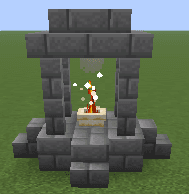
Sacred Fire Ward


Place a sacred fire, destroy nearby unholy monsters, and gain holy protection through offerings so you can build your farm, village, city or town in peace. Purify zombie villagers instantly and cure them. It works almost like a mega-torch but more, with holy magic and holy prote…

Vanilla Ascension

The Vanilla Ascension Tome is a glowing skill book that lets you permanently upgrade your character across six skill trees—Strength, Toughness, Swiftness, Vitality, Mining, and Luck—using spendable skill points rather than directly consuming XP levels. Open your inventory and cli…
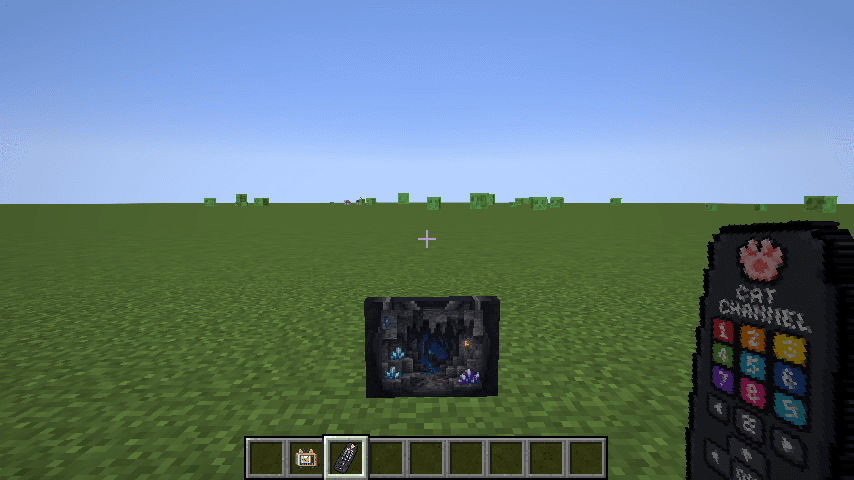
Cat Channel Television


The Cat Channel Television is an ultra-thin, single-block cat-faced TV that displays one of seven crisp channels — Cats, News, Weather, Cows, Clouds, Cave, or White Noise, Right-click toggles power; when ON, right-click with an empty hand opens the channel-selection UI (you’ll he…
This mod is licensed under the CreativeMode Mods License.