CreativeMode

Creative
Mode

ExploreModJamsCreateJoin our community
Sign in
Craft first mod
CreativeMode

Creative
Mode

Sign in
Create
Account
Community
Resources

Create without limits.

Privacy PolicyTerms of Use

© 2026 CreativeMode. Not an official Minecraft product. Not approved by or associated with Mojang or Microsoft.

CREATIVEMODE
    Create
    Account
    Community
    Resources

    Create without limits.

    Privacy PolicyTerms of Use

    © 2026 CreativeMode. Not an official Minecraft product. Not approved by or associated with Mojang or Microsoft.

    CREATIVEMODE
    v4
    MC Bedrock

    Chichen Itza

    by
    lazaruscode
    lazaruscode

    81 downloads

    3D Model
    Structure
    +2 more
    v4
    MC Bedrock

    Chichen Itza

    by
    lazaruscode
    lazaruscode

    81 downloads

    3D Model
    Structure
    Decoration
    Mayan

    Description:

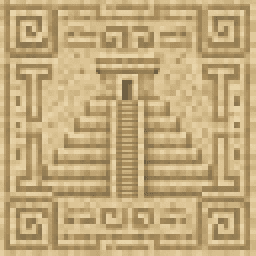
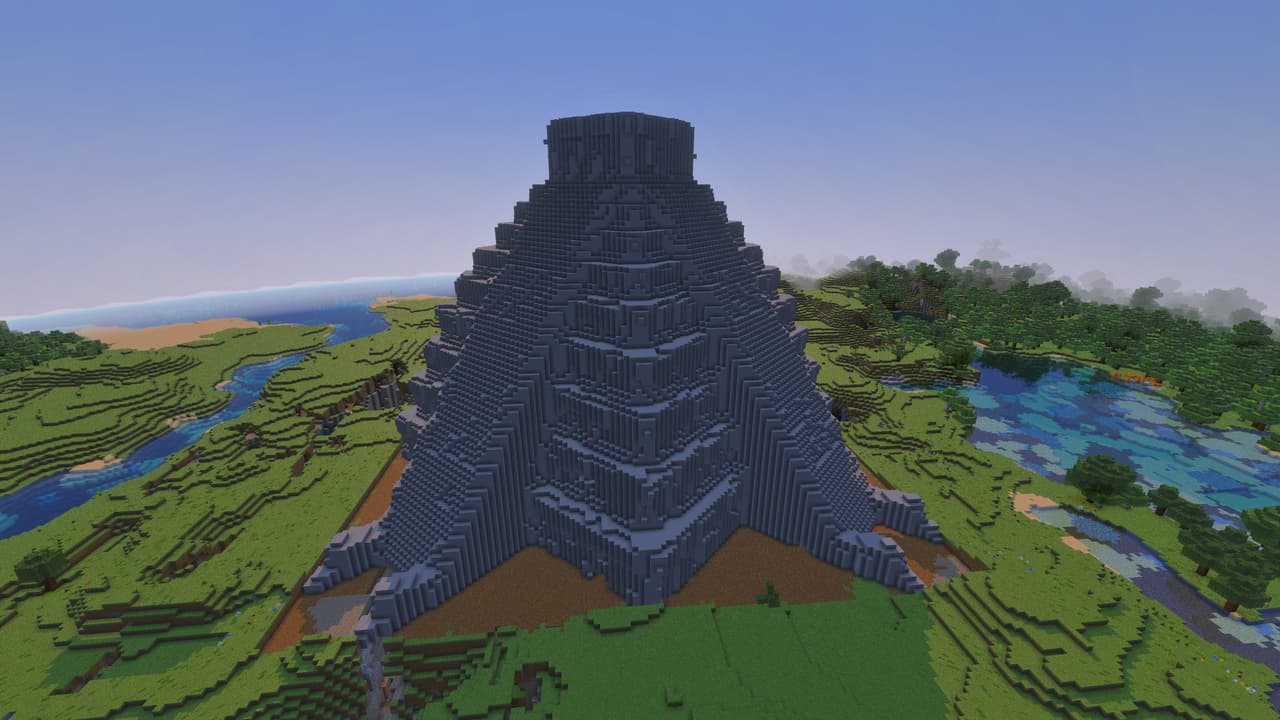
    Place the block and it will start a 10‑second countdown, clearing and flatting the area to a grass plane with construction sounds, then consumes itself as it generates a 55×55 Minecraft-scale replica of El Castillo.

    Mod Wiki

    Chichen Itza Builder

    Quickstart

    1. Craft the Chichen Itza Builder item at a crafting table:
    minecraft:sandstone
    minecraft:compass
    minecraft:sandstone
    minecraft:sandstone
    minecraft:diamond
    minecraft:sandstone
    minecraft:sandstone
    minecraft:compass
    minecraft:sandstone
    Arrow
    com_chichen_itza_builder_dmqlisjl:my_block_placer
    1. Choose a wide, open area — the build clears and flattens a large zone around the placement point. Make sure nothing important is nearby.
    2. Place the Chichen Itza Builder block on the ground. It orients to face you, so stand where you want the main staircase to face.
    3. Step back. A 10-second countdown begins. When it fires, the area flattens and El Castillo rises automatically.
    4. Listen for the completion fanfare and the chat message ✦ El Castillo has risen! ✦ — your pyramid is ready to explore.

    Overview

    Chichen Itza Builder is a single-item mod that lets you summon a full-scale Minecraft replica of El Castillo (the Temple of Kukulkán) anywhere in your world. Place one block, wait ten seconds, and a massive stepped sandstone pyramid builds itself from the ground up — complete with four grand staircases and an enterable summit temple.


    What It Adds

    Item / BlockDescription
    Chichen Itza BuilderA craftable, single-use item that places the builder block.
    Chichén Itzá (the structure)A 55×55 sandstone pyramid generated in the world.

    How To Use

    Placing and Activating

    • Hold the Chichen Itza Builder item and tap/place it on any solid surface.
    • The block faces the direction you are looking, which determines where the main front staircase will face.
    • Once placed, the block begins a 10-second countdown. During this time nearby players receive a warning message. Move well away from the placement point — the mod clears and flattens everything in the surrounding area before building begins.
    • After the countdown, construction sounds play, the ground is levelled to a grass plane, and the pyramid is built tier by tier.
    • The builder block consumes itself as part of the process — it is a one-time-use item.

    Orienting the Structure

    Because the main staircase is oriented toward you at the moment of placement, you can control which direction El Castillo "faces" simply by standing in the direction you want the front to point before placing the block.


    Abilities And Mechanics

    Area Preparation

    Before building, the mod clears and flattens a large zone around the placement point, levelling it to a flat grass plane. Anything in that footprint — terrain, trees, existing builds — will be removed.

    The Pyramid

    • Footprint: 55 × 55 blocks, centred on the placement point.
    • Height: approximately 30 blocks for the pyramid body, plus the summit temple on top.
    • Tiers: nine stepped levels with steep El Castillo-style proportions.
    • Materials: sandstone, smooth sandstone, and cut sandstone throughout.

    Staircases

    All four sides of the pyramid feature a full continuous staircase running from the base up to the summit terrace. Each staircase is centred on its respective face, with proper one-block-rise / one-block-depth steps. The face toward the player at placement time is the designated main staircase.

    Summit Temple

    At the top of the pyramid sits an 11 × 11 ceremonial chamber you can walk inside. It features:

    • Aligned doorway openings on the front face.
    • An interior chamber with enough headroom to move around.
    • Threshold blocks at the entrances.
    • A two-layer roof overhead.

    Progression And Strategy

    • Pick a flat biome (desert, plains, savanna) to minimise terrain disruption, though the mod will flatten any area automatically.
    • Craft before you travel — the recipe requires a diamond, two compasses, and sandstone, so gather materials before heading to your chosen build site.
    • One item = one pyramid. Craft multiple Chichen Itza Builder items if you want several structures.
    • The pyramid makes an excellent landmark, base, or decorative centrepiece. The enterable summit temple is large enough to furnish as a throne room or shrine.
    • Because the structure is built from standard sandstone blocks, you can modify, decorate, or extend it freely with normal tools after it generates.

    How to install

    Download the mod and follow the step-by-step installation guide.

    Players also liked

    Chichen Itza Builder 2 – image 1
    51MC Bedrockv4

    Chichen Itza Builder 2

    Profile picture for lazaruscodelazaruscode500 Downloads

    Chichen Itza 2 is a single-use builder block: place it to clear the surrounding area to a flat grass plane, trigger a 10-second countdown, and then watch it construct a faithful, scaled-up El Castillo replica before removing itself. It builds a proportional nine-tier pyramid on a 101×101 base in a light sandstone palette with a hollow-but-thick exterior shell to reduce placed blocks, and four centered 9-block-wide cardinal staircases with side rails and extended approaches that always orient consistently to the player. This update preserves the original scale and behavior while fixing staircase and summit geometry so each staircase is fully exposed from ground to summit (no buried or inset steps), the base is trimmed so lower steps are visible and stairs meet the widened top platform cleanly with at least a one-block walkable border, and the summit now features a compact, enterable decorative temple with framed entrances, corner pilasters, a one-block overhanging cornice/awning, and a stepped roofline.

    Block · Mayan · Decoration · +1
    El Castillo  – image 1
    285MC Bedrockv1

    El Castillo

    Profile picture for lazaruscodelazaruscode500 Downloads

    A monumental structure to accent your skyline with. This is a rendering of a 3D model of the famous step pyramid El Castillo at Chichen Itza.

    Structure · Decoration · Mayan · +1
    Maya – image 1
    102MC Bedrockv1

    Maya

    Profile picture for lazaruscodelazaruscode500 Downloads

    Maya adds a cohesive library of 54 placeable full-cube decorative stone blocks carved with authentic-looking Maya-style rounded glyphs across six palettes (pale limestone, warm sandstone, dark basalt, red ceremonial stone, cracked ancient stone, and mossy overgrown stone). The set includes wall panels, corner stones, horizontal friezes, pillar faces, floor tiles, altar tops, shrine centers, doorway frames, and royal tomb blocks—some perfectly tiling and symmetrical for long runs, others ornate focal pieces for altars and doorways—with glyphs applied to every visible face so orientation never leaves a blank side. All block textures are rendered from 1024×1024 carved-stone sources for high-detail builds (with a few related blocks sharing source art to keep the pack compact) and the library was designed to maximize distinct glyph variety so long walls and chambers avoid obvious repetition. To use, open the Creative inventory under Construction, choose your palette and family, and place or rotate blocks as usual to create mystical temples, shrines, tombs, and jungle ruins.

    Mayan · Decoration · Block · +2
    Royal Nested Sarcophagus – image 1
    27MC Bedrockv2

    Royal Nested Sarcophagus

    Profile picture for lazaruscodelazaruscode500 Downloads

    Okay. Okay. I need you to look at this thumbnail and I need you to understand that what you are seeing is a pink rectangle without a lid. That's it. That's the whole show. Somewhere, in the afterlife, Tutankhamun is staring at this and considering reincarnating just to file a complaint. This thing looks like someone spent 30 years in a coma, woke up in a six-year-old's body with a box of crayons and a vague memory of seeing a sarcophagus once on the History Channel, and just... went for it. Confident. No hesitation. A masterpiece of "I think I remember what that looked like." It's a quartz brick with ambitions and honestly, respect the hustle. BUT — and this is important — scroll to the other pictures. Because inside that magnificent pink shoebox is a nested inner sarcophagus rocking a full Tutankhamun-style golden death mask... which was also modeled in play-doh and then colored with crayons. Blue-and-gold nemes headdress, outlined features, ceremonial beard — the whole royal funeral package. You just have to use your imagination. The outside said "parking garage concrete block" and the inside said "I am the literal 5th grade clay sculpture king of Egypt." It's basically a mullet in block form. Business brick on the outside, and the hope of ancient pharaoh royalty on the inside. What it actually DOES: Places as a single item and auto-rotates to face whatever direction you're standing — it wants to look at you, which tracks for something with a face on it Footprint is 2x2x4, two blocks tall, because your dead pharaoh deserves personal space The outer sarcophagus is open quartzite, the inner one is sealed with a golden death mask, nested together like the world's most historically significant Russian nesting doll Does absolutely nothing else. No animations. No particles. No lids opening ominously at 3am. No entities. It just exists, regally, judging your interior decorating choices from across the room It's the ancient Egyptian equivalent of putting a decorative urn on your mantle. Everyone who walks in goes "oh, nice urn" and moves on with their lives. Except this urn has the face of a god-king on it and a quartz exterior that looks like it was quarried from a mid-range hotel lobby. Majestic. Confusing. Or Majestically confusing. Absolutely going in your pyramid anyway.

    3D Model · Decoration · Egyptian
    The Great Golden Pyramid – image 1
    238MC Bedrockv3

    The Great Golden Pyramid

    Profile picture for lazaruscodelazaruscode500 Downloads

    Place the block to instantly generate a hollow 107x107 pyramid with gold-block outer walls, a solid five-block-deep sandstone foundation (built as five separate layers), and a flat 5-block-wide sandstone perimeter around the base.

    3D Model · Structure · Building Blocks

    This mod is licensed under the CreativeMode Mods License.

    CreativeMode

    Creative
    Mode

    ExploreModJams
    Create
    Items or Blocks icon

    Items or Blocks

    Join our community
    Craft first mod
    CreativeMode

    Creative
    Mode

    Craft first mod