Minecraft AI tools are software platforms that use artificial intelligence to generate structures, textures, skins, and 3D models, all compatible with Minecraft workflows. These tools are revolutionizing the way mods are created, making advanced customization accessible to everyone. This guide is for Minecraft players, modders, and server owners interested in using AI to enhance or create mods, regardless of coding experience.
The landscape of Minecraft modding has transformed dramatically. What once required weeks of Java programming and deep technical knowledge can now happen in minutes using artificial intelligence. AI tools for Minecraft modding broadly fall into two categories: creative development tools that help build mods and gameplay-enhancing mods that use AI to change how the game functions.
These platforms have eliminated the barriers that kept most players from creating their own content. No-code modding tools allow users to create Minecraft mods without any programming knowledge, making modding accessible to a wider audience. Many of these tools are available directly through a website, so users can access them easily without complex installations. Whether you’re a content creator wanting custom mobs for your YouTube series or a server owner building unique gameplay experiences, there’s now a tool designed for your needs.
This guide covers the four best AI-powered modding tools available in 2026, evaluated on AI capabilities, ease of use, and platform support.
How We Chose the Best AI Minecraft Modding Tools
Selecting the right tool depends on several practical factors that affect your workflow and results. Here’s what we evaluated:
-
AI Integration Quality: We assessed how effectively each tool uses natural language processing to translate your ideas into functional mods. Many no-code modding platforms utilize natural language processing, allowing users to describe their mod ideas in plain English, which the tool then translates into functional code.
-
Platform Compatibility: Support for Minecraft Java Edition versus Bedrock Edition matters significantly. AI tools for Minecraft can generate structures and assets compatible with both Java and Bedrock editions, ensuring a wide range of creative possibilities for players.
-
Ease of Use: These tools typically feature user-friendly interfaces that simplify the mod creation process, enabling users to focus on creativity rather than technical details.
-
Key Features: We compared the key features of each tool—such as advanced modeling, coding capabilities, and beginner-friendly mod creation—to highlight what makes each platform unique and valuable for different user needs.
-
Output Quality and Mod Functionality
-
Community Support and Documentation
-
Pricing and Accessibility
-
Development Speed and Workflow Efficiency
Top 4 AI Minecraft Modding Tools for 2026
1. CreativeMode
CreativeMode is a no-code platform that enables users to easily create mods for Minecraft using text descriptions, and the CreativeMode.net home platform showcases how this three-step system turns ideas into playable content. The service generates custom mobs, items, textures, and behaviors directly from your idea without requiring any coding experience, and also supports the creation of AI mods that enhance gameplay with intelligent behaviors and automation.
Why It Stands Out
Simply describe what you want to create, and the AI handles the rest, often going from idea to a working mod in under five minutes. For example, you could input “create a mod adding a fire-breathing dragon mob that drops enchanted scales and spawns in volcanic biomes,” and CreativeMode outputs a complete, deployable mod file.
CreativeMode supports mod creation for both Java and Bedrock editions of Minecraft, allowing users to build mods for both major versions seamlessly. This cross-platform capability sets it apart from tools limited to a single edition.
Best For
Beginners, non-coders, content creators, and hobbyist modders who want to bring their creativity to life without learning programming.
Key Strengths
-
No coding knowledge required—natural language input transforms descriptions into working mods
-
Full mod creation for both Java Edition and Bedrock Edition
-
AI-powered custom mob, item, and behavior generation based on text prompts
-
Easily design and modify your Minecraft world with custom assets and features generated by AI
-
Built-in launcher and community sharing features
-
Real-time testing and iteration capabilities
-
The more specific your description, the better the AI analyzes and generates your content
Custom items in Minecraft can be created and custom mobs in Minecraft can be generated using this tool’s AI that generates assets based on text descriptions, allowing users to create unique gameplay experiences without coding knowledge. Community sharing platforms for Minecraft mods allow creators to distribute their custom content easily, fostering collaboration and innovation among players.
Possible Limitations
-
Subscription model required for finalized mod generation
-
May have limitations for extremely complex custom mechanics requiring full control over every parameter
2. MCreator with AI Extensions
MCreator has served Minecraft builders since 2016 as a visual modding platform. The 2026.1 update—the largest in its history—brings enhanced plugin ecosystems that incorporate AI for automated code generation through community extensions. With these AI plugins, users can now develop automation mods, such as a bot for resource gathering or pathfinding in Minecraft.
Why It Stands Out
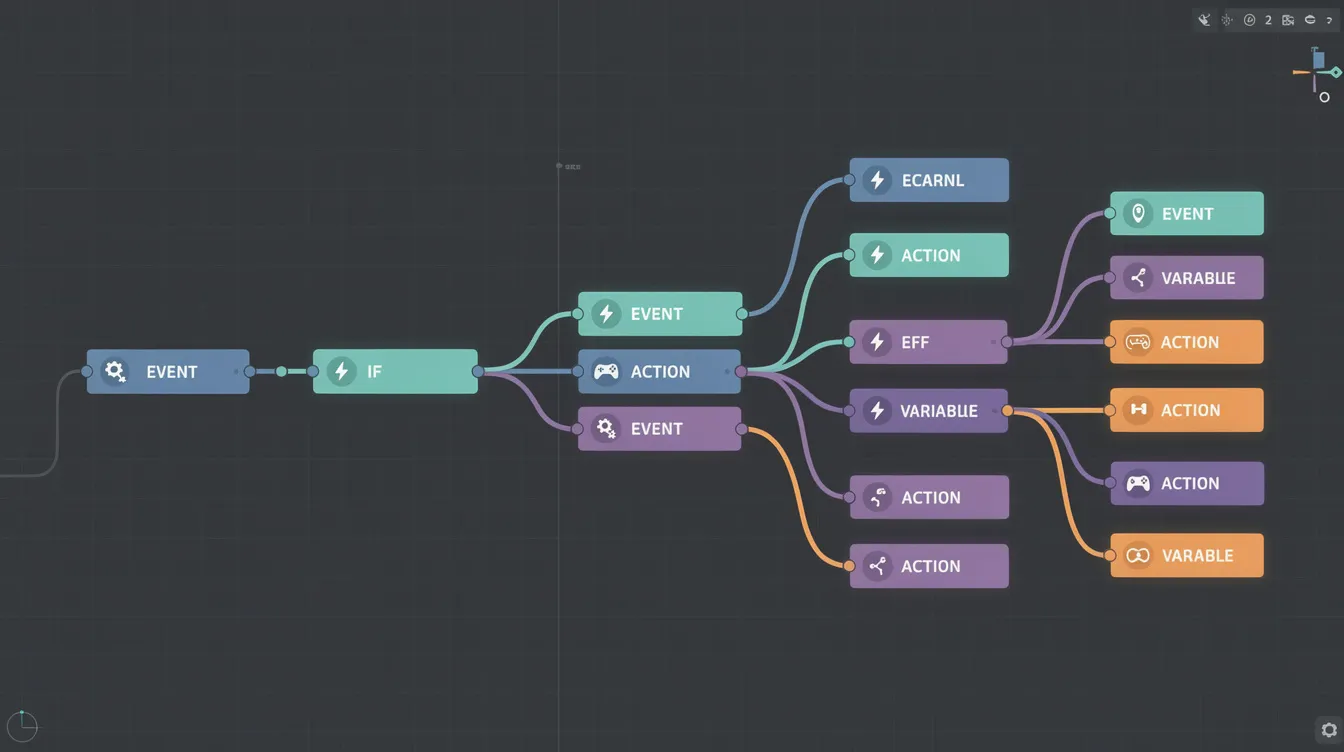
The combination of a drag-and-drop visual interface with AI-powered code generation plugins creates a unique hybrid approach. Users connect logic blocks visually while AI plugins suggest procedures from text inputs and auto-generate textures through integrations.
Best For
Intermediate modders, visual learners, and educational settings where students learn modding concepts progressively.
Key Strengths
-
Established visual modding interface with drag-and-drop functionality
-
AI plugin ecosystem for automated code generation via extensions from Hugging Face or local LLMs
-
Supports exporting AI-generated builds as Minecraft schematics (.schem or .nbt files) for use with structure blocks and popular Minecraft editors
-
Large community exceeding 5 million downloads with extensive documentation
-
Free base version with optional AI enhancements (around $5-20)
-
Educational resources and tutorials for STEM projects
MCreator’s procedure system abstracts Minecraft’s event bus into reusable graphs, now AI-augmented for reported 40% faster development. The development environment supports Forge, Fabric, and Quilt loaders for Minecraft Java.
Possible Limitations
-
AI features require separate plugin installations from MCreator’s marketplace
-
Learning curve for maximizing AI capabilities since base MCreator lacks native AI
-
Primarily focused on Java Edition with experimental Bedrock export
3. Visual Studio Code with GitHub Copilot
For experienced modders who prefer writing code but want AI assistance, VSCode paired with GitHub Copilot delivers a professional-grade solution. This setup combines a full IDE with context-aware AI suggestions specific to Minecraft modding. After generating your mod, you can simply add the resulting JAR file to the mods folder in your Minecraft directory for easy installation and compatibility with popular mod loaders.
Why It Stands Out
AI assistants can help generate complex Java code for Forge or Fabric mods, assisting newcomers in programming. Copilot’s GPT-4o-based autocomplete predicts snippets for registering entities, handling mixin injections, and optimizing datapack JSON.
Best For
Experienced developers, professional modders, and creators working on complex project requirements like multiplayer dimensions or shader integrations.
Key Strengths
-
Advanced AI code completion resolving 65% of mod-specific boilerplate
-
Full IDE features with debugging breakpoints in game events and Git integration
-
Support for all major modding frameworks including Forge, Fabric, and NeoForge
-
Extensive extension ecosystem with 500+ Minecraft-related extensions
-
Professional development workflow with 2-3x faster coding speeds per developer surveys
-
Extensions like Blockbench for 3D models and textures complement the setup
AI tools like ChatGPT or Google AI Studio can be used to write scripts for Minecraft add-ons or plugins, and Copilot brings this capability directly into your code editor.
Possible Limitations
-
Requires programming knowledge and initial setup (JDK 21+, Gradle configuration)
-
GitHub Copilot requires separate subscription ($10/month)
-
Occasional inaccurate suggestions for niche APIs like NeoForge’s registry changes
4. Codella
Codella specializes in AI-powered plugin development for multiplayer servers. Unlike full mod creation tools, it focuses exclusively on server-side functionality for Spigot, Bukkit, and Paper ecosystems.
Why It Stands Out
The tool generates multiplayer-focused functionality like economy systems, anti-cheat mechanisms, and custom events directly from prompts. AI parses descriptions into plugin.yml manifests, Java listener classes, and schedulers optimized for server performance.
Best For
Server owners, plugin developers, and multiplayer-focused creators who need optimized server-side solutions.
Key Strengths
-
Specialized AI for server plugin generation from natural language
-
Focus on multiplayer functionality and server management
-
Automated plugin architecture with built-in stress-testing for 100+ concurrent players
-
Server compatibility testing features across Minecraft versions 1.20-1.21
-
Optimization for low-latency handling (under 50ms tick handling)
Rapid prototyping with AI allows creators to generate functional mod elements within minutes by describing them, echoing broader experiments in creating Minecraft mods with large language models, and Codella applies this specifically to server contexts.
Possible Limitations
-
Limited to plugin development only—not full mods with client-side visuals, blocks, or mobs
-
Primarily server-side functionality focus, unlike CreativeMode’s comprehensive approach
-
Risk of compatibility issues with approximately 30% of existing plugins per developer feedback
Quick Comparison of the Best AI Minecraft Modding Tools
| Tool | Best For | Coding Required | Platform Support | Price Model |
|---|---|---|---|---|
| CreativeMode | Complete beginners wanting full mods | None | Java & Bedrock | Subscription |
| MCreator + AI | Visual learners wanting flexibility | Minimal | Primarily Java | Free + paid plugins |
| VSCode + Copilot | Professional developers | Yes | All frameworks | $10/month for Copilot |
| Codella | Server plugin development | Minimal | Server-side only | Freemium |
| Many Minecraft modding tools include features that enable users to share their creations with the community and browse curated collections of creative mods, enhancing the overall gaming experience. |
How to Choose the Right AI Minecraft Modding Tool
Choosing Based on Coding Experience
-
No coding experience:
- CreativeMode lets you generate full mods without touching code.
-
Visual/basic understanding:
- MCreator’s interface with AI plugins offers gradual learning.
-
Programming proficiency:
- VSCode with Copilot accelerates your existing workflow.
Choosing Based on Project Scope
-
Full mods with mobs, items, biomes:
- CreativeMode or MCreator handle complete mod creation.
-
Server plugins for multiplayer:
- Codella specializes in server functionality.
-
Complex technical modifications:
- VSCode provides more control for intricate mechanics.
AI-generated Minecraft mods can include new items, blocks, mobs, biomes, and gameplay mechanics, providing a wide range of customization options for players.
Choosing Based on Target Platform
-
Java Edition only:
- All four tools work.
-
Bedrock Edition:
- CreativeMode offers native support; most external tools for Minecraft, such as skin and texture generators, are designed to work with both Java and Bedrock editions.
-
Multiplayer servers:
- Codella or VSCode for server-side optimization.
AI structure generators can produce complete builds from text prompts and export them as .schem files, which can be imported using WorldEdit or structure blocks. Automated building and design tools use AI to handle large-scale construction, allowing players to generate structures from blueprints.
Which Option Is Best for You?
Here’s a quick decision framework:
-
Choose CreativeMode if you want to create full mods without any coding knowledge. It’s the fastest path from idea to playable mod for both Java and Bedrock platforms. AI-generated texture tools can create custom textures for blocks, items, and mobs based on written descriptions, allowing for personalized visual styles in Minecraft.
-
Choose MCreator with AI Extensions if you prefer visual interfaces with some coding flexibility and want free access to basic features. The creative design process through visual workflows suits educational contexts.
-
Choose VSCode with GitHub Copilot if you’re an experienced developer wanting AI assistance while maintaining full control over your code. The AI analyzes your context to suggest relevant completions.
-
Choose Codella if you specifically need server plugins for multiplayer environments and don’t require client-side modifications.
Automation of repetitive tasks with AI companions allows players to focus on creative design rather than tedious implementation details.
Final Thoughts
Community and Sharing
Minecraft AI tools are software platforms that use artificial intelligence to generate structures, textures, skins, and 3D models, all compatible with Minecraft workflows. Tools like BlockGPT allow users to generate detailed Minecraft structures and custom mobs from simple text prompts, enhancing creative possibilities for Minecraft builders. AI tools transform Minecraft into a dynamic environment by automating tasks and enhancing interactivity with NPCs.
Community sharing of mods and creations in Minecraft encourages user engagement and helps build a supportive network of creators and players. The modder community continues to grow as barriers fall.
Getting Started
For beginners wanting the most comprehensive solution, CreativeMode offers immediate access to full mod creation across both major platforms. The ability to simply describe what you want—whether mobs, items, or entire biomes—and receive a working mod makes it the standout choice for those new to modding.
Download your preferred tool and start building your first mod today. The only limit is your creativity.
Other tools for models, worlds, and code
AI generation is one part of a modding workflow. These tools address different jobs and should be compared by what you want to change:
| Tool | Useful for | What to check |
|---|---|---|
| Blockbench | Modeling, texture painting, and animation | Choose an export format compatible with your project. A model alone is not an installable mod. |
| WorldEdit | Copying builds, shaping terrain, and larger building edits | Match the supported Minecraft version and platform; work from a backup. |
| Amulet | Editing world data and moving builds between worlds | Check support for the exact world version before opening it. |
| Visual Studio Code | Editing source code, JSON, and datapacks | You still need the appropriate Minecraft development tools and build setup. |
| Datapack Helper Plus | Datapack editing assistance in VS Code | Match the extension's supported syntax to your Minecraft version. |
Graphics and performance mods such as OptiFine are a separate category: they change how an existing game runs or looks, rather than generating your mod. Check compatibility with the loader and other mods in your profile before combining them.
For a first project, pick one small mechanic and test it in-game. Add modeling or coding tools when you need that control; you do not need to learn every tool before you begin.